What Is The Difference Between Office 365 And Microsoft 365?
Let's be honest. Office 365 vs Microsoft 365 has UK businesses totally confused. Same apps. Similar names. But the real difference matters for your budget, your security, and your whole tech vibe.
If you run a small biz, work in an NHS trust, or manage school IT, this choice hits hard. Pricing. Security. GDPR. AI. It all links together. Cleartwo keeps it simple and helps you pick the setup that actually fits your organisation. Let's go.
Office 365 Overview
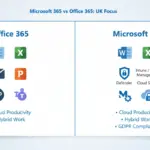
Office 365 was the classic cloud bundle. You got Word, Excel, PowerPoint, Outlook, Teams, and OneDrive. The apps everyone knows, always online and always ready.
You paid per user each month. You also got business email with your own domain and 1TB of cloud storage. Simple. Clean. Straight to the point. Office 365 focused on productivity, not device control or advanced security.

Microsoft 365 Key Differences
Here's where things get real. Microsoft 365 gives you all the Office 365 apps but adds massive security, compliance tools, and device management. It's basically Office 365 with a digital bodyguard. No cap.
You get Microsoft Intune for device control. Microsoft Defender for Business to block cyber threats. Plus compliance features that boost your GDPR protection. Microsoft’s own Advanced Data Residency docs show how the enterprise plans even manage where your data lives. That is huge for UK GDPR.
Planning a secure setup already? Check out our IT support services. Cleartwo keeps your tech safe and smooth.
Office 365 Vs Microsoft 365 Core Apps
Here’s the fun twist. The apps are basically the same across both.
- Word and Excel
- Outlook email
- Teams chat and calls
- OneDrive 1TB storage
- SharePoint for files
- PowerPoint
- Web and desktop versions
If you only care about email and documents, the difference feels small at first. But when cyber threats hit or remote work kicks off, Microsoft 365 becomes the smart move. No lie.
UK Pricing Breakdown In Pounds
Time for the money talk. In 2026, Microsoft 365 Business plans usually sit around:
Business Basic: £4 to £6 per user. Business Standard: £9 to £12. Business Premium: £16 to £18. Enterprise plans cost more.
Old-school Office 365 plans still float around, but new customers get moved towards Microsoft 365. With 2026 price changes coming, early licence reviews save cash.
Worried about budget? Cleartwo has you covered. We check your licences and optimise everything. This fits neatly with our cloud services where we help you pick the right plan. No oversell. Just what you need.
Security And GDPR Compliance For UK Organisations
This is where Microsoft 365 shows its power. UK companies must meet GDPR rules and protect data properly. Microsoft 365 has the tools built in.
You get:
- Device control with Intune
- Identity protection via Entra ID
- Data loss prevention
- Advanced threat protection
These help during audits and keep your data safe. Want a deeper look? Read our blog on digital compliance. It's easy to understand and gets straight to the point.
OneDrive Teams And Cloud Storage Differences
Both get you 1TB OneDrive storage. Teams works the same. SharePoint too.
The difference is control. Microsoft 365 lets you block file downloads on unmanaged devices, force encryption, and track risky behaviour. For hybrid UK teams, that control matters.
If your team works remote most days, pairing Microsoft 365 with strong cyber security support is the smart move.
Microsoft 365 Copilot AI Features
AI is not hype. It’s now part of everyday work. Microsoft 365 Copilot sits inside Word, Excel, Outlook, and Teams as a paid add-on.
It drafts emails, sums up meetings, and analyses spreadsheets. It literally saves hours.
You need a Microsoft 365 licence to use Copilot. Plus an Exchange Online inbox and the right identity setup.
Choosing The Right Plan
Sole traders often go with Basic or Standard.
Small businesses pick Standard. Premium if security matters.
Growing teams benefit from Premium as device control becomes essential.
Large enterprises use E3 or E5 for full compliance and analytics.
Public sector groups like NHS trusts or schools often get discounts too. Cleartwo can check your setup and align everything with your IT support, digital marketing, and cloud CRM.
Switching From Office 365 To Microsoft 365
Ready to level up? Here’s the simple flow:
- Review your licences
- Check for gaps
- Pick the right tier
- Enable security tools step by step
- Train your team
Migrations take around 2 to 4 weeks. Your data stays safe in the cloud.
We break this down in our cloud migration guide. Worth a read before switching plans.
If you also use web development or e commerce tools, plan integration early. Simple as that.
How Microsoft 365 Fits Your Tech Stack
Microsoft 365 is now more than email. It links with CRM, AI marketing, and full IT security. It becomes the backbone of your digital world.
At Cleartwo, we do not just sell licences. We shape your setup so it matches your goals. Growth. Compliance. Digital transformation. That is the vibe.
Frequently Asked Questions
Is Office 365 Being Discontinued?
Mostly, yes. The name is phased out for new customers.
Does Microsoft 365 Include Windows?
Premium and some Enterprise plans include Windows 11 Pro upgrade rights.
Which Plan Is Best For GDPR?
Business Premium or Enterprise E3 or E5.
Is Copilot Worth It?
For heavy email and spreadsheet users, yes. It saves serious time.
Can UK Schools Get It Free?
Many accredited schools get free or discounted education plans.
There you go. Office 365 vs Microsoft 365 is more than a name swap. One is pure productivity. The other is productivity plus protection. If you want help picking the right plan or sorting migration, Cleartwo has your back. Let’s level up your tech.