VoIP Phone Setup
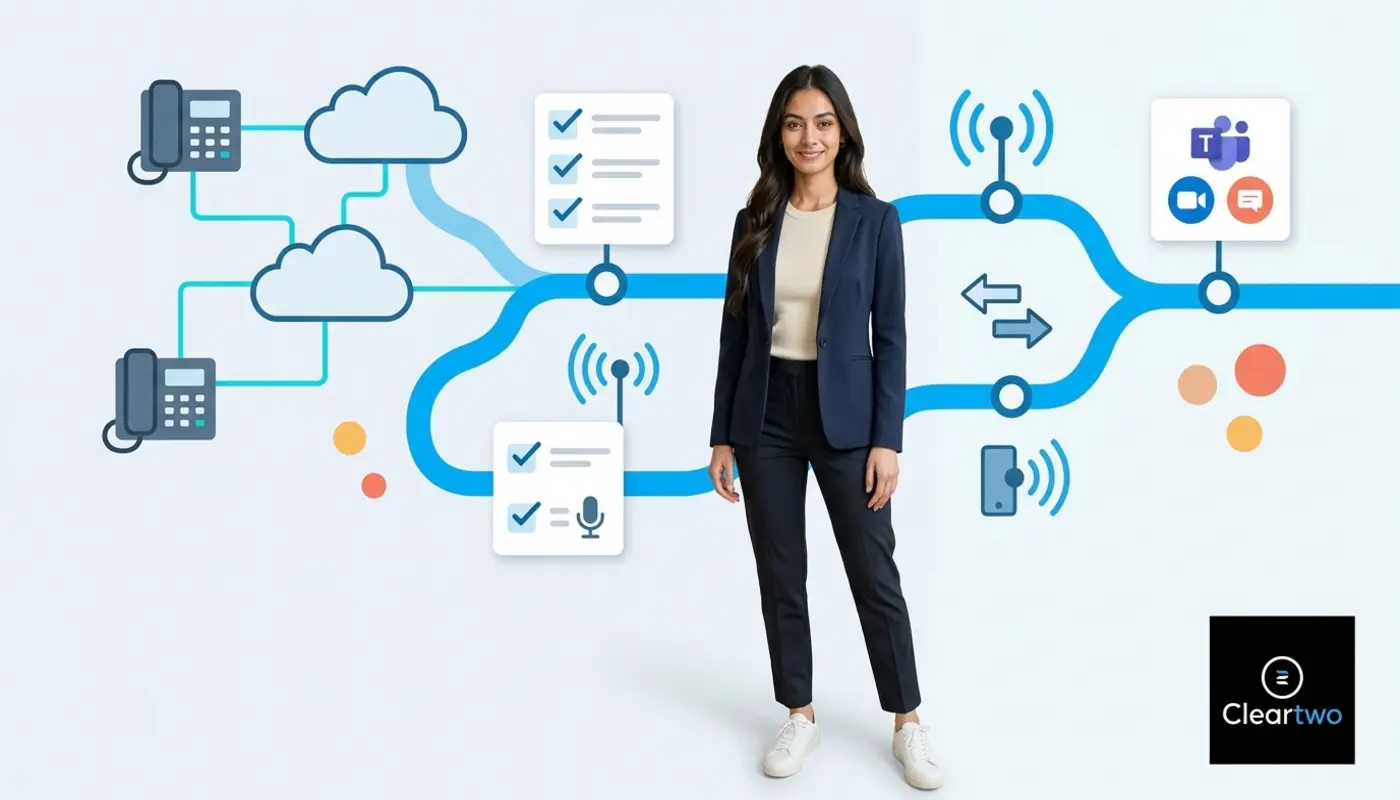
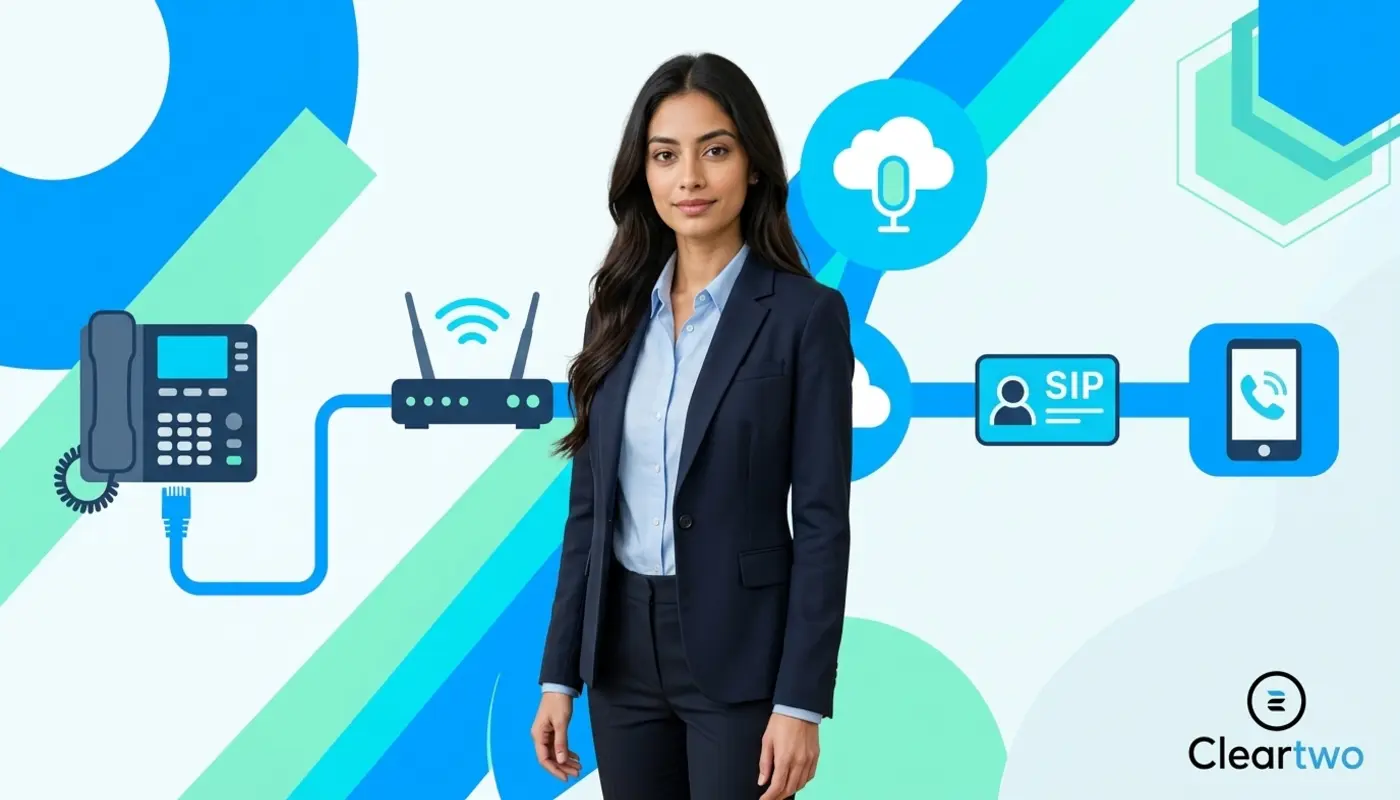
VoIP phone setup means connecting your business phone to the internet, then linking it to a VoIP service account. The answer to How to Connect a VoIP Phone is simple at first. You need stable broadband, a VoIP account, SIP login details, a compatible phone or app, and a network that can carry voice clearly.
Your phone system is often the first voice of your business. When it works well, customers do not notice the technology behind it. They hear clear sound, quick answers, and a team that feels ready to help.
For UK businesses, the easiest route is to use a managed provider such as Cleartwo. Setup, testing, call routing, number porting, and support can then be handled properly from the start.
VoIP gives your phone system more room to move. Calls no longer need to sit on old copper lines. They travel through the internet, which helps office teams, remote staff, and field workers stay connected under one business number.
This matters because the UK PSTN and ISDN switch off is moving businesses away from old landlines before January 2027. Cleartwo helps businesses make that move with managed setup, UK based support, Teams voice integration, business features at SME pricing, and a 99.99% uptime SLA.
What You Need Before You Connect A VoIP Phone
Before you connect a VoIP phone, gather the key parts first. You need good broadband, a router, a VoIP service account, login details, and a suitable phone, desktop app, or mobile app.
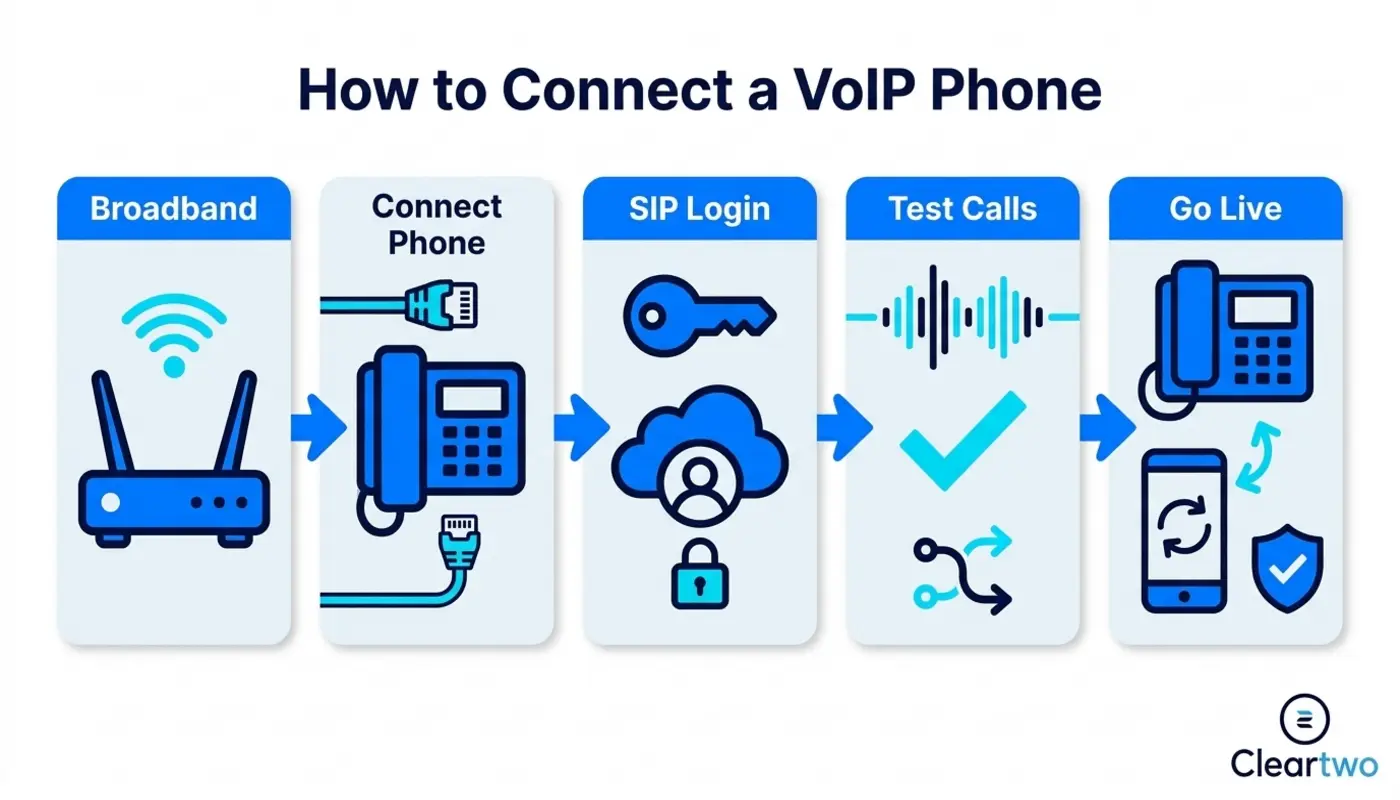
Think of it like planning a room before adding furniture. The phone is only one part. The network, numbers, call routes, voicemail, CRM links, call recording, and user access all shape the final experience.
Start by checking upload speed as well as download speed. Voice calls need a clean path both ways. A small team may work well on business fibre. A busy sales or support team may need quality of service rules. These rules give calls priority over normal web traffic.
A little planning here prevents many issues later. It also helps your phone system feel like part of your brand. Every greeting, queue, transfer, and voicemail message should feel clear and intentional.
Why The UK PSTN Switch Off Changes The VoIP Timeline
The UK PSTN switch off means old analogue and ISDN phone services are being retired. Businesses need digital voice services before January 2027. This makes VoIP setup a real business task, not just a technical upgrade.
If your office still uses old phone lines, check what depends on them. This may include a PBX, lift line, alarm, payment terminal, fax device, or door entry system. Some equipment may need replacing. Some may work through an adapter or a hosted VoIP service.
The move can bring more than simple line replacement. Hosted VoIP and cloud PBX systems can reduce line rental, make support easier, support remote work, and add useful features. These include call recording, mobile apps, Microsoft Teams phone, call reports, and CRM integration.
Types Of VoIP Phones UK Businesses Can Use
UK businesses can use several types of VoIP phones. The right option depends on where people work, how they answer calls, and how much control the business needs.
Hardware IP Phones
A hardware IP phone looks like a normal desk phone. The difference is that it plugs into your network instead of an old phone socket. It is a strong choice for reception, support teams, finance desks, and users who prefer a physical handset.
Softphone Apps
A softphone is an app on a desktop or laptop. It lets users make and receive business calls through a headset. It works well for hybrid workers, sales teams, and service teams who spend the day in a CRM, email, or browser based system.
Mobile VoIP Apps
A mobile VoIP app turns a smartphone into a business extension. Field based workers can answer with the company number, not a personal mobile number. This keeps the customer experience tidy and helps managers keep call records in one place.
VoIP Adapters
A VoIP adapter lets some analogue devices connect to a digital voice service. It can help with simple handsets or older equipment. It is not always the best long term choice. A proper IP phone or app usually gives a cleaner and more flexible result.
How To Connect A Hardware VoIP Phone
To connect a hardware VoIP phone, plug it into your router or network switch, power it on, enter the VoIP account settings if needed, and confirm that it registers with your provider. Once registered, it can make and receive calls.
-
Unbox the phone and connect the handset cord.
-
Plug an Ethernet cable from the phone into your router or network switch.
-
Add power using Power over Ethernet, known as PoE, or the mains adapter.
-
Wait for the phone to start and request network access.
-
Enter the SIP server, username, password, and domain if manual setup is needed.
-
Check the screen for registered or online status.
-
Make a test call to an internal number, mobile, and landline.
Ethernet is usually better than Wi Fi for business telephony in the UK. A wired connection is more stable and has less interference. That stability matters when a customer is ready to talk, buy, or ask for help.
If you are building a wider phone estate, review device compatibility first. Cleartwo offers VoIP phone systems for UK businesses with managed setup, so the handsets, numbers, routing, and support all work together.
Setting Up A Softphone On A Desktop Or Laptop
To set up a softphone, install the approved VoIP app, sign in with your business details, allow microphone access, choose your headset, and test calls before using it with customers.
Start by installing the app recommended by your provider. Then sign in with the user details from your VoIP account. On first launch, allow microphone and speaker access. The app cannot carry your voice without these permissions.
A good headset makes a big difference. Laptop microphones often pick up room noise, keyboard taps, and echo. A USB or Bluetooth headset gives calls a more professional sound and helps teams focus.
Softphones are also useful when linked to business systems. A sales rep can click a number inside a CRM, make the call, and log the activity without typing the same notes twice.
Connecting A VoIP Phone App On A Mobile Device
To connect a mobile VoIP app, download the provider approved app, sign in with your user details, allow notifications and microphone access, then test calls over Wi Fi and mobile data.
Mobile setup is simple, but the small details matter. Turn on push notifications so missed calls alert properly. Check battery settings too, as some phones restrict apps running in the background.
For field teams, mobile VoIP creates a more joined up brand experience. Customers see one company number. Calls can still use call queues, voicemail, recording rules, and reporting, even when staff are away from the office.

Entering SIP Details And VoIP Phone Settings
SIP details are the login details that allow your VoIP phone to connect to your provider. They usually include a SIP username, password, server address, domain, and sometimes an outbound proxy.
SIP stands for Session Initiation Protocol. In simple terms, it is the language that helps your phone start, manage, and end a call. If one character is wrong, the phone may fail to register.
Common settings include caller ID, voicemail, time zone, codec, emergency address, call forwarding, and device name. A codec is the method used to make your voice small enough to travel well through the internet. Your provider should recommend the best option for clear and reliable calls.
For a deeper technical walkthrough, read the practical article on how to configure VoIP step by step. It explains the setup path in a clear way.
How Cleartwo Supports UK Businesses With VoIP Setup
Cleartwo supports UK businesses by managing the full VoIP setup process. This includes device choice, number porting, SIP setup, call routing, testing, training, and ongoing support.
VoIP should feel like a well designed customer journey. Each touchpoint should have a purpose. The greeting, call queue, voicemail message, call recording policy, CRM connection, and mobile app all shape how your business sounds to the outside world.
Whether you need hosted VoIP, Microsoft Teams calling, SIP trunking, CRM integration, or secure business telephony in the UK, Cleartwo can shape the setup around the way your team works. This joined up approach is useful if you already use Microsoft 365, cloud CRM, digital marketing services, web development services, e commerce marketing, or IT support for businesses.
Where a specific platform is the right fit, Cleartwo can recommend and manage the most suitable solution. Setup, support, and pricing stay clear from the start.
Quick VoIP Setup Checklist
Use this checklist before your first live call. It keeps the setup neat and helps prevent small missed details becoming support issues later.
-
Stable business broadband.
-
Correct SIP details.
-
Compatible VoIP phone or app.
-
Configured call routing.
-
Tested audio devices.
-
Working voicemail access.
-
Recorded emergency address.
-
Clear caller ID settings.
-
Tested call transfer and hold options.
Troubleshooting Common VoIP Phone Connection Problems
Most VoIP connection problems come from incorrect login details, network blocks, router settings, poor broadband quality, or device setup errors. Start with the simplest checks before changing advanced settings.
If the phone does not register, check the SIP username, password, server, and internet connection. Also confirm the account is active. If the details were copied from an email, remove any hidden spaces at the start or end.
If you hear one way audio, where one person cannot hear the other, the issue may involve NAT, firewall rules, or SIP ALG. NAT helps devices share an internet connection. SIP ALG is a router feature that tries to help VoIP traffic, but it often causes problems. Many business routers need it turned off.
Poor call quality usually points to jitter, latency, packet loss, or Wi Fi interference. Latency means delay. Jitter means uneven delay. Packet loss means parts of the call do not arrive. Together, they can make calls sound broken, delayed, or robotic.
Security matters too. If your phone system connects with CRM, call recording, payments, or other business tools, use strong passwords and provider approved settings. Cleartwo can also help with VoIP integrations and security so your system stays useful and protected.
Testing Call Quality Before Going Live
Before going live, test internal calls, external calls, mobile calls, voicemail, transfers, hold music, call queues, call recording, and emergency calling details. A proper test prevents poor first impressions.
Test from the places your team will really work. Try desk phones in the office, softphones on laptops, and mobile apps on Wi Fi and mobile data. If calls sound different in each place, the network path is likely the reason.
Ask users to listen for delay, echo, crackle, dropouts, and volume changes. Review call logs if your platform provides call data. A strong VoIP connection should feel natural, with clear sound and no awkward gaps.
Managing VoIP Phone Connections As Your Business Grows
As your business grows, manage VoIP connections by keeping users, devices, call routes, permissions, recordings, and integrations up to date. A cloud phone system should grow with the business, not hold it still.
Adding a new user should not mean rewiring an office. With hosted VoIP, you can add extensions, devices, mobile apps, call queues, and sites through a managed platform. UCaaS can also help because voice, messaging, meetings, and collaboration can sit in one connected place.
Review your setup every few months. Check whether call queues still match your team structure. Make sure voicemail messages sound current. Confirm that CRM links still support the sales process. Every detail matters because your phone system is part of your brand voice.
Frequently Asked Questions
What Do I Need To Connect A VoIP Phone In The UK?
You need reliable broadband, a VoIP service account, SIP details, a compatible IP phone or app, and a router or network switch. For business use, also check call routing, emergency address details, voicemail, call recording rules, and whether your network can prioritise voice traffic.
Can I Use My Existing Desk Phone With VoIP?
You may be able to use an existing analogue desk phone with a VoIP adapter. It depends on the handset and your provider. Many UK businesses choose IP desk phones because they offer better controls, easier support, and features such as transfer keys, presence, directories, and call handling.
Do I Need Broadband For VoIP?
Yes, VoIP needs an internet connection because calls travel as digital data instead of using a traditional phone line. Business fibre is usually best, especially for teams taking several calls at once. If broadband fails, many VoIP systems can route calls to mobiles or another site as a backup.
How Do I Connect A VoIP Phone To Microsoft Teams?
You connect VoIP to Microsoft Teams using a Teams phone setup, often through Direct Routing or a supported calling link. Users need the right Microsoft licence, phone numbers, routing rules, and voice setup. A managed provider can handle the setup so staff make and receive external calls inside Teams.
Why Is My VoIP Phone Not Registering?
A VoIP phone usually fails to register because of incorrect SIP details, no internet connection, an inactive account, firewall blocking, or router settings such as SIP ALG. Check the username, password, server, and domain first. If those are correct, ask your provider to review network logs and device status.