Set Up A VoIP Phone System
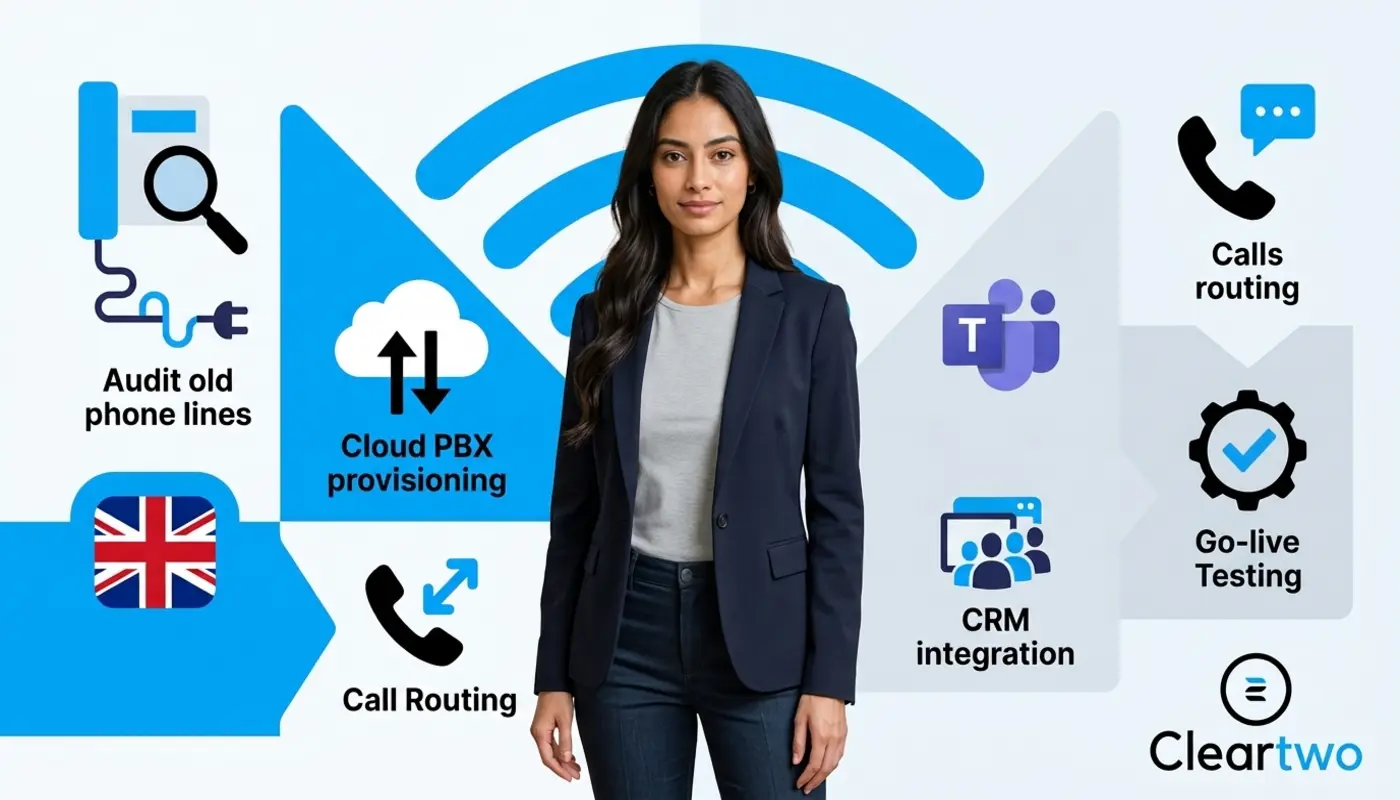
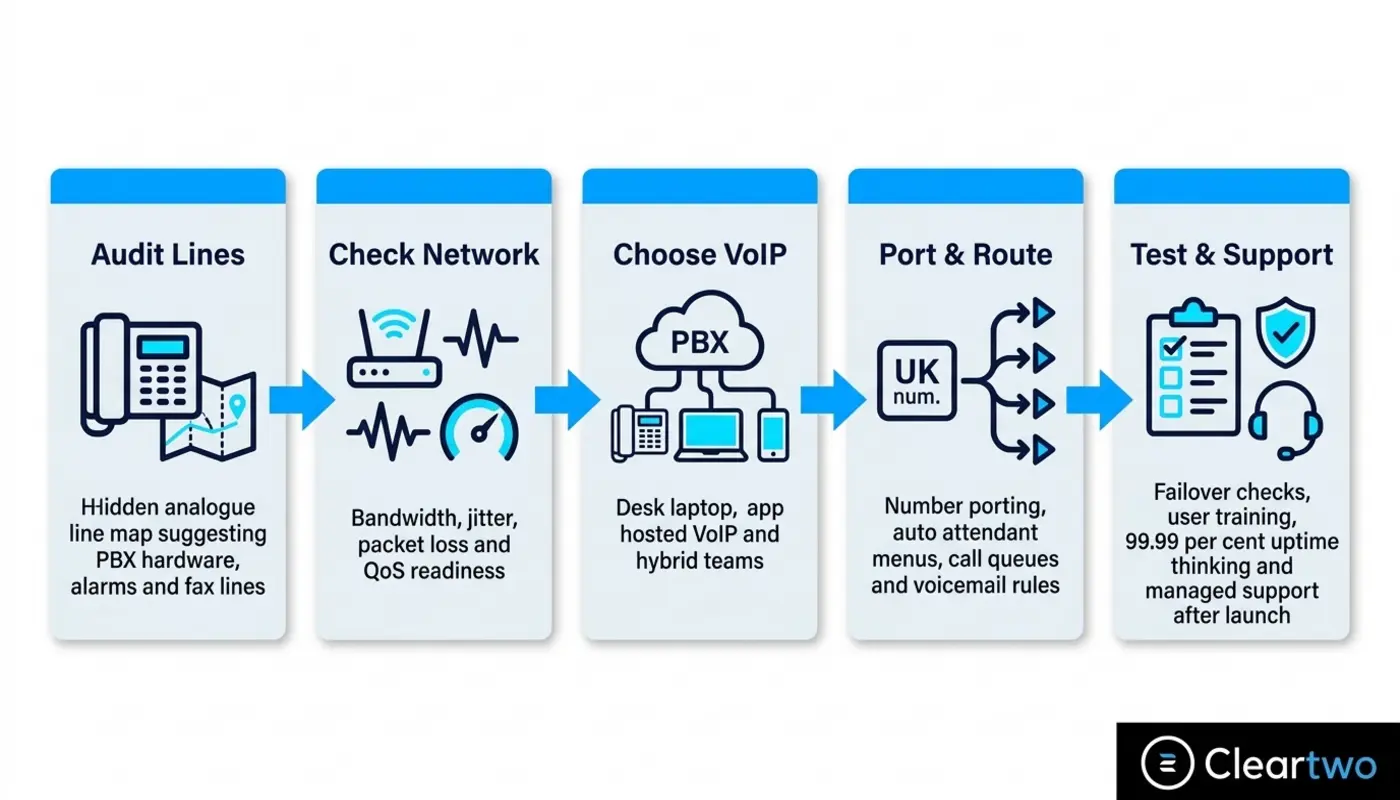
To set up a VoIP phone system for your business, start with a clear plan. Check your current phone setup, test your broadband, choose the right hosted VoIP service, plan number porting, set up call routing, test the system, and review it after launch. Cleartwo can manage your VoIP phone system setup from planning to support, so the move feels far less stressful.
UK business phone systems are changing fast. The old PSTN and ISDN networks are being retired. Openreach plans to switch off traditional phone lines on 31 January 2027. Waiting until the last minute is not a smart move.
Cleartwo helps UK businesses move to modern VoIP with managed setup, UK based support, Teams voice integration, useful business features, and a 99.99 per cent uptime SLA. That means your phone system is built to stay reliable. Simple as that.
Check Your Current Phone System First
Before you buy anything, map what you already have. List desk phones, analogue lines, ISDN circuits, PBX hardware, fax machines, alarms, lift phones, door entry systems, payment terminals, and remote site lines. Old phone lines can hide in places your team no longer checks.
This step sounds basic, but it matters. Many UK businesses only find hidden lines or old devices once the move has started. A proper audit helps you avoid awkward surprises when your new system goes live.
Write down your phone numbers, users, departments, office sites, opening hours, call flows, voicemail rules, and contract end dates. Also note what works well now and what frustrates your team. Missed calls, poor transfers, no call recording, and weak reporting are clear signs your setup needs an upgrade.
Plan Before The January 2027 Switch Off
The PSTN switch off means old analogue and ISDN phone services are being replaced by digital voice services. For UK businesses, VoIP is no longer just a cool upgrade. It is becoming the normal way to make and receive calls.
Planning early gives you time to review contracts, test your network, train staff, and move numbers without panic. Leaving it late can create risk, especially if your phones support sales, customer service, bookings, emergency steps, or call recording.
The UK VoIP market is also growing quickly. Hosted VoIP, cloud PBX, UCaaS, softphones, and Microsoft Teams phone setups give businesses more freedom than old phone systems ever could. That is the new energy.
Choose The Right VoIP System
The right VoIP system depends on your users, call volumes, sites, tools, and support needs. A hosted PBX is often best for SMEs that want a cloud phone system managed by a provider. SIP trunking can suit firms that want to keep a compatible PBX while moving calls to internet based service.
A cloud PBX is a strong option if you want less hardware, easier remote working, and central control. Staff can use desk phones, laptop softphones, or mobile apps. That is a big win for hybrid teams and field staff.
Think about future growth too. Can you add users quickly? Can you create call queues? Can you use auto attendant menus? Can you record calls, view reports, and connect to a cloud CRM? If not, the system may hold you back sooner than you think.
Choose A UK VoIP Provider
Choosing a provider is where things get real. Do not only compare the monthly user price. Look at support, number porting skill, uptime, security, call recording, CRM integration, Microsoft Teams phone options, and how much setup help is included.
Some providers expect you to set up everything yourself. That can work if you have a skilled IT team. For many SMEs, self setup becomes a time sink. Honestly, nobody wants to fix phone settings on a Friday while the sales team cannot receive calls.
Ask who owns the project. Ask who tests call quality. Ask how support works after go live. Who helps when something goes wrong? For a deeper buyer checklist, read Cleartwo's guide to choosing the right VoIP phone system provider.
Prepare Your Broadband And Network
VoIP runs over your internet connection, so your network must be ready. You need enough bandwidth for calls at the same time. Speed matters, but it is not the only thing. Call quality also depends on delay, jitter, packet loss, router settings, firewall rules, and Wi Fi coverage.
Delay means the time between someone speaking and the other person hearing it. Jitter means voice data arrives unevenly, which can cause choppy sound. Packet loss means small parts of voice data go missing. Lower numbers usually mean clearer calls.
Quality of Service is also important. This is a router setting that gives voice traffic priority over less urgent traffic, such as large downloads, cloud backups, or software updates. Could your team keep working if your broadband dropped? Planning that now can save major stress later.

Select Phones, Apps And Headsets
Your team may not need new desk phones for everyone. Some users may prefer softphones on laptops, mobile VoIP apps, or headsets. Reception, warehouse, support, and meeting room teams may still need proper IP handsets.
Here is the move. Match devices to how people actually work. Sales teams may want click to call from a CRM. Remote staff may want mobile apps. Finance may need call recording and secure access controls.
- IP desk phones
- Laptop softphones
- Mobile VoIP apps
- Noise cancelling headsets
- Reception call panels
- Meeting room phones
- Power over Ethernet
Power over Ethernet is useful because it powers phones through network cables. This means fewer plugs, cleaner desks, and easier support when something needs checking.
Set Up Extensions And Call Routing
This is where your VoIP phone system starts to feel smart. You create users, extensions, departments, ring groups, call queues, voicemail rules, business hours, holiday settings, and overflow routes.
An auto attendant is the phone menu that says, for example, press 1 for sales or press 2 for support. It gives callers a professional first impression and sends them to the right team faster. Call queues then hold callers in order until someone is free.
Plan emergency calling too. Each user and site should have the right location details. Also check caller ID rules, outbound numbers, voicemail to email, call transfer, call park, and missed call alerts.
Connect Microsoft Teams Phone
If your business already uses Microsoft 365, Teams voice integration can be game changing. Staff can make and receive business calls inside Teams, while a proper VoIP platform supports the service behind the scenes.
There are several ways to connect Teams to phone services. These include calling plans, operator based options, and Direct Routing. Direct Routing is often used when a business wants more control, flexible carrier choice, advanced routing, or a link with an existing phone setup.
The key is planning. Do your calls need to connect with your CRM or Microsoft Teams? Review licences, users, numbers, policies, call routing, and testing before launch. Then Teams calling supports your business, instead of becoming another tool staff avoid.
Link VoIP With Your CRM
VoIP becomes much more useful when it connects to your CRM and daily tools. CRM integration can support click to call, screen pop ups, automatic call logging, contact matching, call notes, recording links, and sales reporting.
For sales and service teams, this is massive. The system can log calls against the right customer record. Your team spends less time typing notes and more time helping customers.
This also works well with CRM workflows, support steps, and reporting dashboards. If you are planning deeper CRM workflows, read Cleartwo's CRM and VoIP integration guide for practical ideas.
Why Cleartwo Hosted VoIP Works Well
Cleartwo's hosted VoIP solutions are worth considering for UK businesses that want modern call features without old PBX issues. You get cloud PBX tools, call management, mobile working, and integration options in one managed service.
The real value is not only the platform. It is the setup, support, testing, and ongoing care around it. Cleartwo helps businesses choose the right configuration, manage the detail, and keep the phone system aligned with how the team works.
How Cleartwo Manages VoIP Setup
Cleartwo manages VoIP setup from consultation to go live. Your team does not need to juggle several suppliers, technical checks, porting forms, hardware orders, and support tickets. That is the kind of flow busy businesses need.
The process usually starts with a phone system audit and a clear needs review. Cleartwo checks your current setup, numbers, users, call flows, broadband, network, CRM tools, Microsoft Teams needs, and compliance needs.
Then comes solution design, approval, provisioning, porting preparation, hardware setup, softphone setup, call routing, CRM integration, testing, user training, and post launch checks. You can explore the core service here: VoIP phone systems from Cleartwo.
Port Your UK Business Numbers
In most cases, you can keep your existing UK business phone numbers when moving to VoIP. Ofcom rules support number portability. This means customers can usually keep numbers when changing communications provider.
To avoid disruption, build a full number list first. Include main numbers, direct dial numbers, fax numbers, service numbers, local numbers, and any lines tied to alarms or payment systems. Keep the old service live until the port is complete and tested.
A good provider will check account details, submit porting requests correctly, plan the porting window, test inbound and outbound calls, and prepare a fallback route. Do not cancel old services too early. That is where problems happen, and it is avoidable with the right plan.
Test Before Going Live
Testing is not just making one call and calling it done. Proper testing checks inbound calls, outbound calls, internal extensions, auto attendant menus, call queues, voicemail, transfers, mobile apps, remote users, call recording, CRM workflows, caller ID, and emergency calling.
You should also test failover. If broadband drops, can calls reroute to mobiles or another site? Can staff still receive customer calls? Business continuity may sound dull, but it can protect revenue on a busy Monday morning.
Run user testing with real staff. Reception, sales, support, finance, and managers all use phones in different ways. Their feedback helps catch small issues before customers notice them.
Manage Your VoIP System After Setup
Once your system is live, keep improving it. Review call quality, missed calls, failed calls, licences, user changes, call recording storage, security alerts, and call flow rules each month.
Quarterly reviews are smart too. Your business changes, so your phone system should keep pace. Add new users, update departments, change opening hours, refine queues, and improve reports as your team grows.
VoIP is not just a phone replacement. Done well, it becomes part of your business automation, customer service, sales process, reporting, and digital operations. That is the vibe.
Make VoIP Setup Less Stressful
Moving to VoIP does not need to feel overwhelming. With the right setup plan, you can protect your numbers, improve call quality, support hybrid working, and give your team a phone system that fits the way they work now.
Cleartwo can help with consultation, setup, porting, testing, Microsoft Teams integration, CRM integration, and ongoing support. If you want a smoother switch, speak to Cleartwo and get your VoIP rollout moving with confidence.
Frequently Asked Questions
How Long Does It Take To Set Up A VoIP Phone System For A UK Business?
A small VoIP setup can often be completed quite quickly, especially if there are few users and no complex number ports. Larger projects with several sites, CRM integration, Microsoft Teams phone setup, call recording, and network changes need a structured rollout plan with testing before go live.
Can I Keep My Existing UK Business Phone Numbers When Moving To VoIP?
Yes, most businesses can keep existing UK phone numbers through number porting. You need a complete number list, correct account details, and an active existing service until the port is complete. After porting, test inbound calls, outbound caller ID, and routing before cancelling old services.
Does VoIP Save Money Compared With Traditional Phone Systems?
VoIP can reduce costs by removing old line rental, reducing PBX hardware needs, and making call management more efficient. Savings depend on licences, broadband, handsets, support, integrations, contract exit charges, and setup scope. For many SMEs, the bigger win is flexibility with lower ongoing management.
Can VoIP Work With Microsoft Teams?
Yes, VoIP can work with Microsoft Teams through Teams phone integration. Depending on your setup, this may involve calling plans, operator based connectivity, or Direct Routing. The best choice depends on licensing, routing needs, support model, number control, and whether Teams should be your main calling tool.
Is VoIP Call Recording Automatically Compliant?
No, call recording is not automatically compliant. You need clear rules for lawful basis, consent notices, access controls, storage periods, security, deletion, and audit trails. Regulated firms should define compliance needs before setup, so recording rules match UK GDPR and sector rules.