Quick Answer
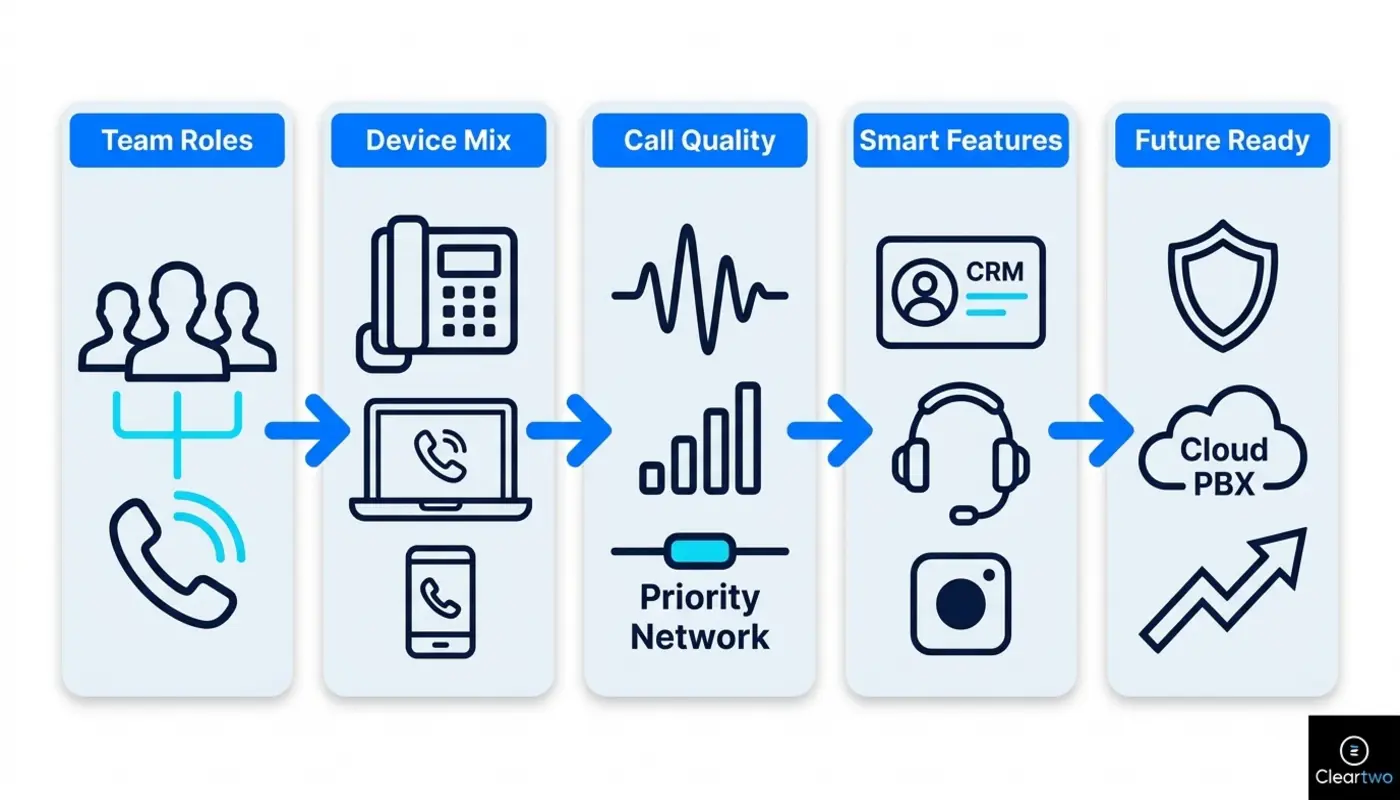
When choosing Voice Over IP Phones For Small Business, start with how your team works each day. Match phones to real roles. Check call quality, easy transfers, CRM links, remote working, Microsoft Teams phone options, call recording, and room to grow. The cheapest handset is not always the best choice. It can cost more later if it creates call problems or extra support work.
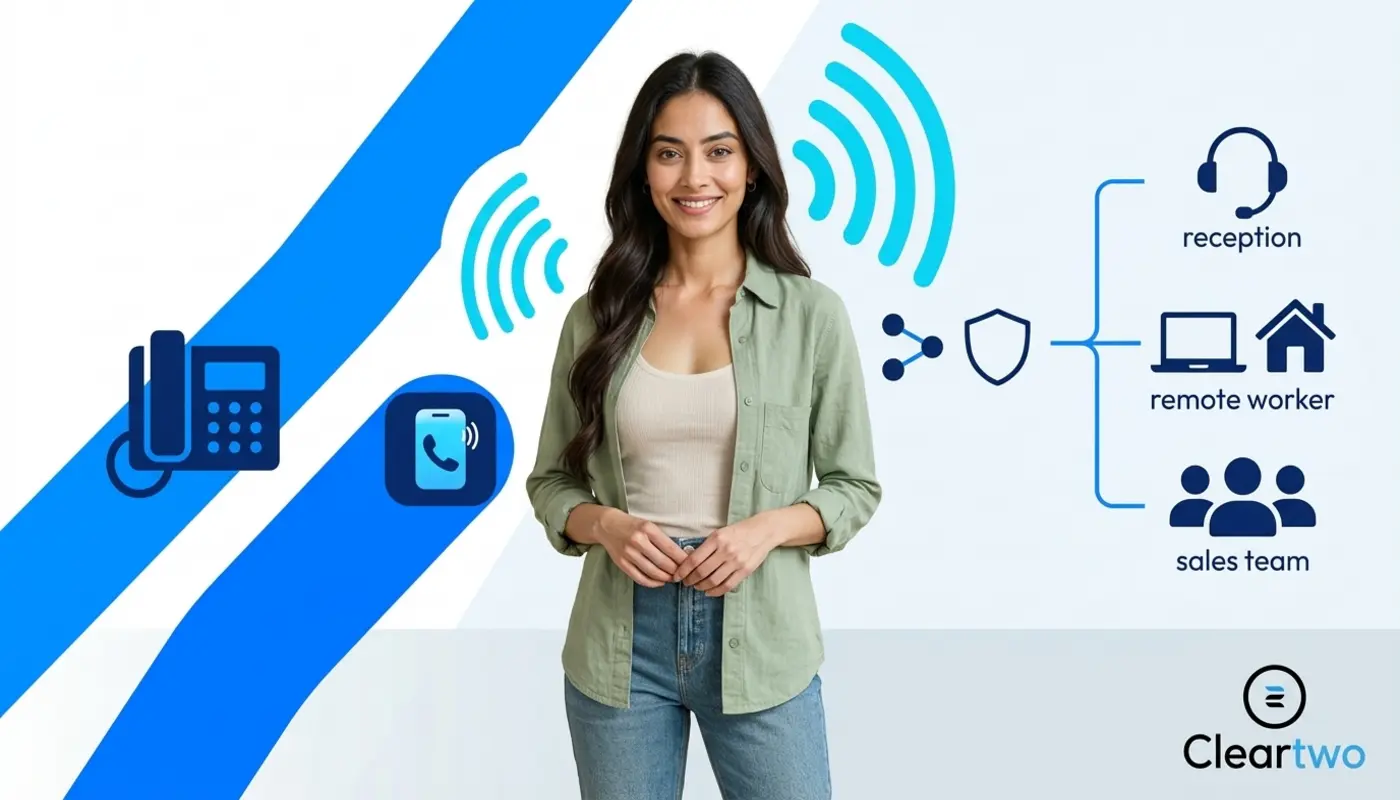
Business phone systems can sound more complex than they are. Hosted VoIP, cloud PBX, SIP trunking, softphones, and Teams certified phones can feel like a box of acronyms tipped onto your desk. Let's make this simple. A PBX is your phone switchboard. SIP helps internet calls connect. A softphone is a calling app on a computer or mobile. Unified communications as a service means calls, chat, meetings, and teamwork tools are delivered through the cloud.
Cleartwo helps small UK businesses choose, set up, and support VoIP phones as part of a fully managed service. That includes managed setup, UK based support, Teams voice integration, useful business features, and a 99.99% uptime SLA. An SLA means Service Level Agreement. It is the provider's promise about service availability and support standards. Rather handy when customers are trying to call you.
Why The Right VoIP Phone Matters
The right VoIP phone matters because it affects call quality, team productivity, customer service, and future support needs. A cheap handset can become expensive if it drops calls, lacks updates, cannot handle queues, or does not work well with your cloud phone system. No one wants to buy phones twice.
The UK PSTN switch off is also making this decision more urgent. PSTN means Public Switched Telephone Network. It is the old traditional phone line network. ISDN is an older digital phone line service that many businesses still use. Traditional phone lines are due to be retired on 31 January 2027. So small businesses using analogue lines, ISDN, or older PBX equipment should review their setup early. You can read more about digital landlines on the Ofcom website.
VoIP is no longer a risky new idea. Many UK SMEs already use cloud telephony. Others are now moving before older line services disappear. Costs can be lower than older systems. But only if the setup is planned well. The phone, internet, network, support, and user training all need to work together.
Voice Over IP Phones For Small Business Options
Voice over IP phones for small business use come in several forms. Each one suits a different type of user. You can choose desk phones, softphones, mobile VoIP apps, cordless DECT phones, conference phones, shared area phones, and Microsoft Teams certified devices. DECT is the standard used by many cordless office phones. It lets staff move around without dragging a cable behind them like a very committed office snail.
A hardware IP phone looks like a normal office desk phone. The difference is that it connects through your internet network, not an old phone line. It is often best for reception, customer service, shared desks, and people who handle many calls each day. Physical buttons still matter when someone needs to transfer a customer quickly and not mute the wrong person.
A softphone is an app on a computer, tablet, or mobile. It lets users make and receive business calls through a headset or device speaker. Softphones are useful for hybrid teams, sales staff, remote workers, and anyone who works inside a cloud CRM or browser based workflow.
Mobile VoIP apps are ideal for staff who move between sites or work in the field. They let users show the business number instead of a personal mobile number. Cordless VoIP phones are better for warehouses, clinics, showrooms, workshops, and spaces where staff do not sit at one desk all day. Start with the person, not the phone. Are your team office based, remote, mobile, or a mix of all three?
Hardware IP Phones Versus Softphones
Hardware IP phones are best when users need a fixed and reliable calling device. Softphones are best when users need flexibility, mobility, CRM click to call, and lower hardware costs. Between you and me, most small businesses do not need a physical phone for every person anymore.
A receptionist may still need a proper desk phone. Useful features include busy lamp fields, transfer keys, a good speaker, and fast directory access. A salesperson may work better with a softphone, headset, screen pop, automatic call logging, and CRM phone links. A director may want both. No judgment. Some people just like options.
The best setup is often a blend. Use desk phones where they add speed and confidence. Use softphones where mobility and system links matter. Use Teams certified phones where Microsoft Teams calling is central to the business.
If you want a deeper look at physical devices, adapters, and endpoint choices, Cleartwo has a practical VoIP hardware guide for UK offices. It explains the basics in plain English.
VoIP Phone Features To Prioritise
The most useful VoIP phone features are the ones that make daily work easier. Look for clear audio, simple call transfer, voicemail, call forwarding, call queues, auto attendants, call recording, CRM links, mobile access, and easy admin tools. Let's make this simple. If a feature saves time, reduces mistakes, or improves customer service, it is worth checking.
Start with these key features:
- HD voice audio
- Simple call transfer
- CRM screen pop
- Call recording controls
- Microsoft Teams phone support
- Mobile app access
- Secure admin portal
- Easy user management
- Headset support
- Regular phone software updates
For sales teams, CRM links can save a lot of time. Click to dial, call logging, contact matching, and recording links mean fewer lost notes. They also support better business automation across cloud CRM systems, digital marketing tools, ecommerce marketing, and customer data platforms.
For support teams, call queues and supervisor views matter more. You need to know who is free, how many calls are waiting, and whether customers are being handled quickly. This is where a cloud PBX can feel much more grown up than an old office phone system.
Match Phones To Team Roles
Your team size, location, and working style should shape your VoIP phone choice. A five person consultancy, a retail business, a recruitment agency, and a multi site manufacturer will all need different phone setups. They may still use the same cloud phone platform.
Reception and front of house users need speed. Prioritise transfer buttons, directory search, busy lamp fields, queue views, and strong speaker quality. Sales teams need headsets, softphones, CRM links, call recording options, and clean outbound number display.
Professional services firms should think about privacy and control. Call recording is not just a handy feature. It needs a lawful reason, clear access rules, retention settings, deletion steps, and clear notices for staff and callers.
Remote and hybrid teams need secure sign in, mobile fallback, presence, and reliable headsets. Multi site businesses need central device setup, shared directories, site based call routing, and correct emergency location settings. If your wider setup includes managed IT, cyber security, websites, or AI tools, it helps when your phone partner understands how those parts connect.
Audio Quality And Reliability
Good VoIP audio depends on the phone, headset, network, and internet connection. A brilliant handset cannot rescue poor broadband, weak WiFi, overloaded switches, or badly managed network traffic. No stress. This is fixable. It just needs checking before you buy twenty phones and hope for the best.
Look for HD voice, echo control, full speakerphone support, noise reduction, headset support, and regular firmware updates. Firmware is the small software inside the phone. It keeps the device secure and working properly.
For the network, check upload speed, delay, jitter, packet loss, wired network points, Power over Ethernet, and quality of service settings. Power over Ethernet means the network cable can power the phone as well as connect it. Quality of service means voice calls get priority, so calls do not break up when someone uploads a large file.
Continuity matters too. Ask about backup broadband, 4G or 5G failover, mobile app fallback, battery backup units, and outage steps. Ofcom has warned that digital phone services can be affected by power or broadband failure. Emergency calling plans should always be checked with your provider.
Budget And Total Cost
The real cost of VoIP phones is more than the handset price. Include licences, call plans, headsets, setup, configuration, number porting, broadband upgrades, Power over Ethernet switches, cabling, support, training, recording storage, warranty, and future replacement.
A five year view is often better than looking only at the monthly quote. Cheap hardware may lack updates, support, certification, or useful links with other systems. Expensive hardware may be more than some users need, especially if they spend most of the day in Microsoft Teams, a browser, or a CRM system.
Ask three simple questions. Who truly needs a desk phone? Who can use a softphone? Which shared spaces need dedicated phones? These questions usually lead to a cleaner and cheaper setup.
Why Cleartwo Recommends CallSwitch One
Cleartwo often recommends CallSwitch One when a small business needs a reliable and flexible VoIP platform without having to manage everything alone. As CallSwitch One resellers, Cleartwo can combine the platform with advice, setup, training, and ongoing UK based support.
That reseller relationship gives customers real benefits. You get competitive pricing, better support, smoother setup, and a more managed service. In short, you get the phone technology and a team that knows how to make it behave.
Cleartwo can also align CallSwitch One with Microsoft Teams phone workflows, CRM links, call recording, mobile working, and UK business telephony needs. It is not about selling a shiny handset. It is about making calls work properly for your team and your customers.
How Cleartwo Supports Your Setup
Cleartwo starts by reviewing users, sites, current lines, broadband, call flows, Teams usage, CRM workflows, recording needs, and growth plans. Many businesses are not completely sure what they already have or what needs replacing. No judgment. That discovery stage matters because the best phone choice is based on real roles, not a catalogue page with tiny product photos.
From there, Cleartwo recommends the right mix of desk phones, softphones, mobile apps, Teams certified devices, and specialist phones. Cleartwo also supports number porting, device setup, firmware, configuration, user changes, fault checks, and ongoing improvements through its VoIP phone system services.
If you are planning a wider move away from older lines, the guide to PSTN switch off migration for UK businesses is a useful next read. It explains how to review, test, and switch before the January 2027 deadline catches you out.
Future Proof Your Phone Choice
A future ready VoIP phone choice should support growth, new locations, remote workers, CRM changes, Teams calling, call queues, recording rules, and multi site management. It should also use platforms and devices that can adapt as your business changes.
Check SIP support where needed, Teams certification, firmware lifecycle, headset compatibility, secure sign in, hot desking, API access, and device reuse. SIP is the call connection method used by many VoIP systems. API access lets systems talk to each other, such as your phone platform and CRM.
Also confirm number ownership, recording export, contract terms, replacement rules, and support duties. Honestly, this is the unglamorous part. But it is where small businesses avoid costly surprises later.
Final Thoughts
Choosing VoIP phones is easier when you focus on people first. Start with how each role handles calls. Then choose the right mix of desk phones, softphones, mobile apps, and Teams certified devices. Check the network, support, future needs, and total cost before you buy.
The best setup should feel simple to use. It should help customers reach the right person, help staff work from anywhere, and give your business room to grow. You've got this. And if you would rather not work through it alone, Cleartwo can help sort it out.
Frequently Asked Questions
Do I Need A Physical VoIP Phone For Every Employee?
No. Most small businesses do not need a desk phone for every person. Reception, shared desks, and high call volume users often benefit from hardware phones. Remote staff, sales teams, and CRM focused users may work better with softphones and headsets.
How Long Does It Take To Set Up VoIP Phones For A Small Business?
A simple small business VoIP setup can often be completed in days once numbers, users, devices, and broadband are ready. Larger projects may take several weeks. This is common when number porting, Teams links, call recording, multiple sites, or network upgrades are involved.
Can I Keep My Existing UK Business Phone Number With VoIP?
In many cases, yes. You can usually keep your existing UK business number by porting it to the new VoIP provider. Confirm eligibility, timing, paperwork, and any limits before cancelling old services. Number porting must be managed carefully.
Is Call Recording Legal For UK Small Businesses?
Call recording can be legal, but it must be handled properly. You need a clear reason, suitable notices for callers and staff, access controls, retention rules, and secure storage. Regulated firms may also have extra recording and retention duties.
Will VoIP Work During A Power Cut Or Internet Outage?
VoIP depends on power and internet access. Outages can affect calls unless backup is planned. Small businesses should ask about mobile app fallback, broadband failover, battery backup, and emergency call arrangements before switching from traditional lines.