VoIP Phone Systems For Remote Working
VoIP Phone Systems support remote working by letting staff make and receive business calls through the internet. They can use the same company number from home, the office, a client site, or while travelling. For UK businesses, Cleartwo makes business telephony more flexible, modern, and easier to manage.
Let's be honest, old office phone systems do not match the way many teams work now. Staff are often split across homes, offices, shared workspaces, and site visits. A desk only phone setup can slow people down and lead to missed calls.
Why Old Phone Systems Fall Short
Traditional office phone systems struggle with remote working because they are built around fixed desks and physical phone lines. When the right person is not in the office, callers can end up waiting, being transferred badly, or reaching the wrong number.
Older PBX systems, ISDN lines, and analogue lines often depend on office wiring and handsets. A PBX is a private phone network used inside a business. It works well in one building, but it can feel clunky when staff work from different places.
There is also the UK PSTN switch off to plan for. PSTN is the old public phone network. UK businesses need to move away from traditional phone lines before the national switch off deadline of 31 January 2027. Waiting until the last minute can create stress, cost, and avoidable downtime.
What Is A VoIP Phone System?
A VoIP phone system uses the internet to carry voice calls instead of old copper phone lines. VoIP stands for Voice over Internet Protocol. In simple terms, it turns business calls into secure digital traffic.
A hosted VoIP or cloud phone system keeps the phone platform online. Your team can sign in through a laptop app, mobile app, browser, IP desk phone, or Microsoft Teams phone setup.
This gives your business modern calling features without heavy office hardware. You can use call routing, voicemail to email, call recording, hunt groups, auto attendants, CRM integration, and cloud based collaboration. It keeps calls, messages, and customer activity in a cleaner flow.
How VoIP Gives Staff A Business Number Anywhere
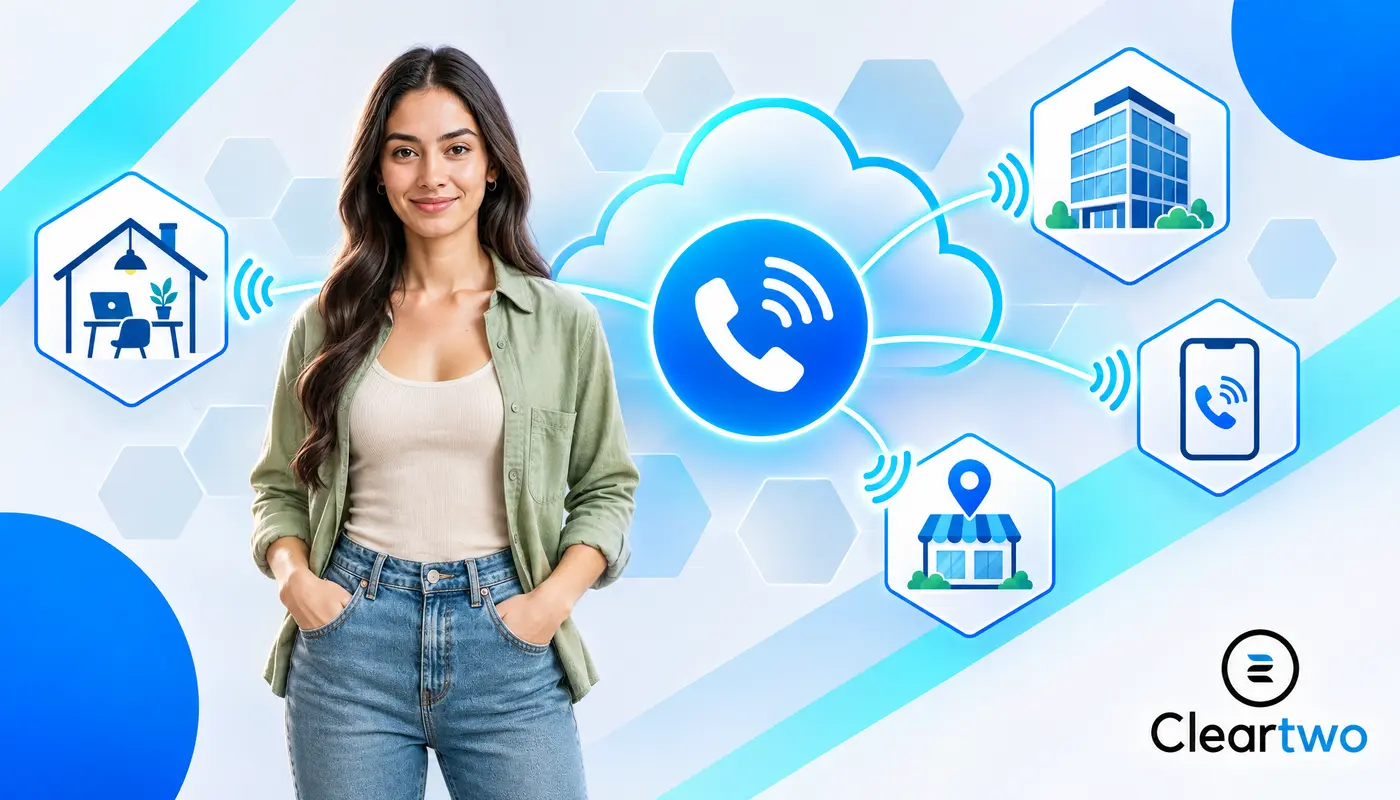
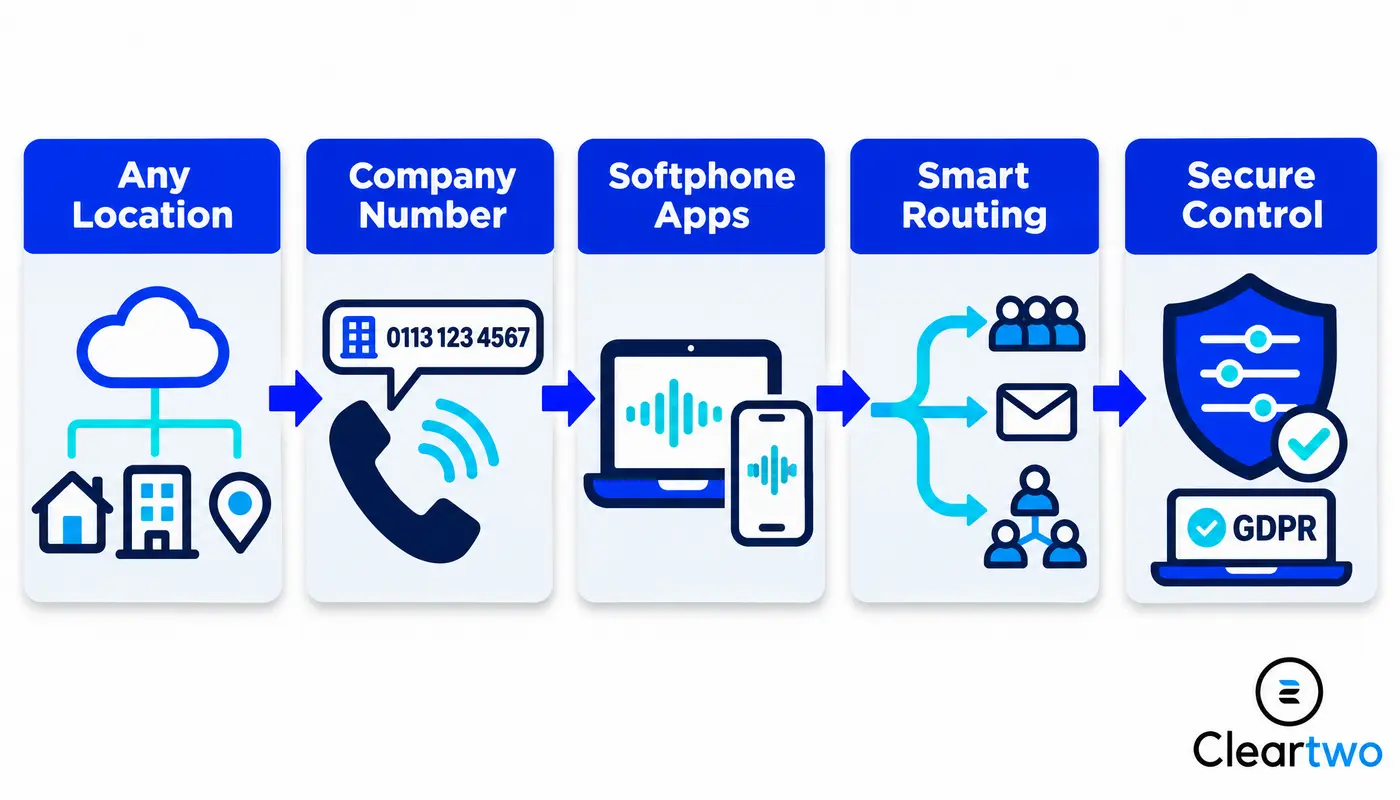
VoIP lets remote staff use the company phone number from almost anywhere with a stable internet connection. They can call from a laptop at home, answer through a mobile app, or transfer a customer to a colleague in another city.
The customer still sees the business number, not a personal mobile number. That keeps your brand professional. It also protects staff privacy, which is a big win for sales, support, finance, and field teams.
Your team can also keep normal extensions. Someone in Manchester can transfer a call to someone in Birmingham as easily as if they were in the same office. Simple as that.
Softphones And Mobile Apps Keep Teams Connected
A softphone is an app that works like a business phone on a computer, tablet, or mobile. Staff can answer calls, place callers on hold, transfer calls, check voicemail, and view missed calls without needing a desk phone at home.
Mobile VoIP apps are ideal for people who move around. Site managers, sales teams, recruiters, care coordinators, and directors can stay reachable without sharing personal numbers.
Desk phones still have a place too. Reception desks, warehouses, meeting rooms, shared spaces, and users who prefer handsets may still need IP phones. VoIP supports all of these options in one setup.
How VoIP Connects Office And Remote Staff
VoIP brings office staff and remote workers into one phone system. Everyone can share extensions, company numbers, call queues, voicemail, routing rules, and reporting across different locations.
Cloud calling makes admin much easier. Your team can add users, change call flows, update greetings, and set holiday schedules without rewiring the office or waiting for old hardware changes.
For growing teams, that flexibility is huge. If you open a new branch, hire remote staff, or build a hybrid customer service team, the phone system scales with you instead of slowing you down.

Call Routing That Stops Missed Customers
Smart call routing sends callers to the right person, team, or department, even when staff are spread across different places. It helps stop customers being passed around or left waiting.
An auto attendant gives callers a simple menu. For example, press one for sales, press two for support, or press three for accounts. Hunt groups and call queues then ring the right people in the right order.
Remote teams often get the most value from business number access, mobile VoIP apps, smart call routing, voicemail to email, call recording control, CRM call logging, and Microsoft Teams voice integration.
You can also set overflow rules. If no one answers after a set time, calls can move to another team, a mobile, voicemail, or an out of hours message. No more customers vanishing into the void.
Microsoft Teams And CRM Integration
VoIP works best when it connects with the tools your team already uses. That can include Microsoft Teams, cloud CRM platforms, shared calendars, chat apps, and project systems.
Microsoft Teams phone integration lets staff use Teams for business calling when the right licences and calling setup are in place. This means fewer apps, less switching, and a smoother working day.
CRM integration is also a game changer. With CRM phone integration, sales and service teams can click to dial, log calls, view caller records, add notes, and connect recordings to customer activity where policy allows.
This also links well with business automation, cloud CRM, custom CRM systems, and managed IT support. When your phone system talks to the tools your staff already use, work feels less messy and far more productive.
If your team uses digital marketing solutions, e commerce marketing, web development services, AI marketing tools, or IT security for small businesses, VoIP can sit inside a smarter digital workflow.
Security And Data Protection For Remote VoIP Calls
Remote VoIP calls need strong security because calls can happen outside the office. A good setup protects user accounts, devices, recordings, admin access, and call data.
Important controls include strong passwords, secure sign in, role based admin permissions, software updates, device controls, and monitoring for unusual call activity. Home networks and mobile devices should also be considered.
For call recording, UK businesses need to think about GDPR, clear caller notices, retention rules, and access control. Regulated sectors may also need extra rules for storing, finding, exporting, and protecting recordings.
If your team handles sensitive client data, your VoIP plan should connect with your wider cyber security approach. Cleartwo can support this through VoIP, managed IT, Microsoft 365 management, and IT security solutions that help keep remote working safer.
Why Cleartwo Recommends CallSwitch One
CallSwitch One is a strong choice for many remote and hybrid teams because it brings business calling, mobility, collaboration, and phone features into one clean platform. It supports flexible working in a way old phone systems cannot.
The real value comes from planning and setup. Cleartwo are CallSwitch One resellers, so customers get managed implementation, practical UK support, competitive pricing, and a service built around real business needs.
You can find out more about CallSwitch One directly. The bigger win is having Cleartwo configure it around your users, call flows, numbers, Teams needs, and growth plans. That is the difference between buying software and getting a working business phone system.
How Cleartwo Sets Up VoIP For UK Teams
Cleartwo starts with discovery, not guesswork. The team reviews your current numbers, users, sites, devices, call flows, remote working needs, and any analogue or ISDN services that need replacing.
Then comes the setup. Cleartwo designs call routing, auto attendants, hunt groups, voicemail rules, failover, recording settings, softphones, mobile apps, IP phones, and Microsoft Teams phone options where needed.
Number porting is planned carefully so you can keep existing business numbers where possible. Staff are onboarded with clear guidance, so they know how to answer calls, transfer calls, use voicemail, and work confidently from home.
For a deeper look at remote calling, visit VoIP for remote workers in the UK. It explains remote business calling in a simple way for business owners and operations teams.
Scaling VoIP As Your Team Grows
Hosted VoIP makes growth easier because new users can be added without major hardware changes. This is useful when hiring staff across the UK or building a hybrid team.
Numbers, extensions, permissions, apps, and call groups can be assigned through cloud admin tools. This saves time and keeps people connected from day one.
VoIP also helps during office moves, mergers, seasonal hiring, and team changes. Instead of rebuilding your phone system each time the business changes, you adjust the setup and keep the momentum going.
Remote VoIP Migration Checklist
A clean move from a legacy phone system needs planning, testing, and training. It does not need to be stressful when the right steps are followed.
Start by auditing every phone line, number, user, handset, fax device, alarm line, lift phone, and payment terminal. Then check broadband quality for offices and key staff working from home.
Next, map call flows, hunt groups, voicemail, opening hours, and failover rules. Choose softphones, mobile apps, Teams integration, and any desk phones your team still needs.
Plan number porting and test the system before cutover. Train users on everyday calling, transfers, voicemail, and call recording rules. After launch, review performance and tune the setup as your team grows.
Cost wise, cloud VoIP can cut costs by up to 60 percent compared with traditional telephony in some cases. Actual savings depend on licences, connectivity, call volume, hardware, storage, and support. The smartest move is to design the right system first, then price it properly.
Final Thoughts
If your team works from different places, your phone system should not hold them back. VoIP keeps people connected, keeps your business number professional, and gives managers better control over calls.
With Cleartwo, you get a managed VoIP setup that is planned around your team, tools, customers, and growth plans. It is one of those upgrades that makes daily work feel smoother fast.
Frequently Asked Questions
Here are clear answers to common questions about VoIP, remote working, Microsoft Teams, compliance, and cost.
Can Employees Use A Business Phone Number From Home?
Yes, employees can use a business phone number from home through a VoIP softphone, mobile app, browser client, or Microsoft Teams phone setup. They sign in with their business account and make calls using the company number instead of a personal mobile number.
How Long Does PSTN Migration To VoIP Take?
Timescales vary based on number porting, user count, call flow complexity, broadband readiness, integrations, and testing. A small business can often move faster than a multi site organisation. Every UK business should plan early because the PSTN switch off deadline is 31 January 2027.
Can VoIP Integrate With Microsoft Teams?
Yes, VoIP can integrate with Microsoft Teams. The setup depends on your licences, calling connection, and chosen voice model. Some businesses use Teams Phone. Others use managed voice integration so staff can call externally from Teams with better control and support.
Is VoIP Call Recording Compliant With GDPR?
VoIP call recording can support GDPR compliance when it is configured correctly. Businesses need a lawful basis, clear caller notification, access controls, retention rules, and secure storage, especially when recordings include personal or sensitive data.
Does VoIP Save Money For UK Businesses?
VoIP can reduce costs by cutting legacy line rental, PBX maintenance, hardware changes, and call charges. The saving depends on your current setup, licence needs, call volumes, support model, and integrations. A proper phone system audit is the best starting point.