Many business owners ask why some companies grow fast without hiring more staff. The truth is simple. These businesses use strong systems, not extra workload. CRM automation examples show how leading companies build repeatable steps that bring steady sales.
Most UK business owners I meet are busy and stretched. They get good leads, but follow ups slip away. Many still track sales on Excel instead of a proper dashboard. That’s where CRM platforms and sales automation workflows make a big difference. They remove friction and protect revenue.
That’s the work we do at Cleartwo. We build automation based on how your business actually runs. Not theory. Not a perfect world. Just real systems that catch leads, push deals forward, and keep clients engaged.
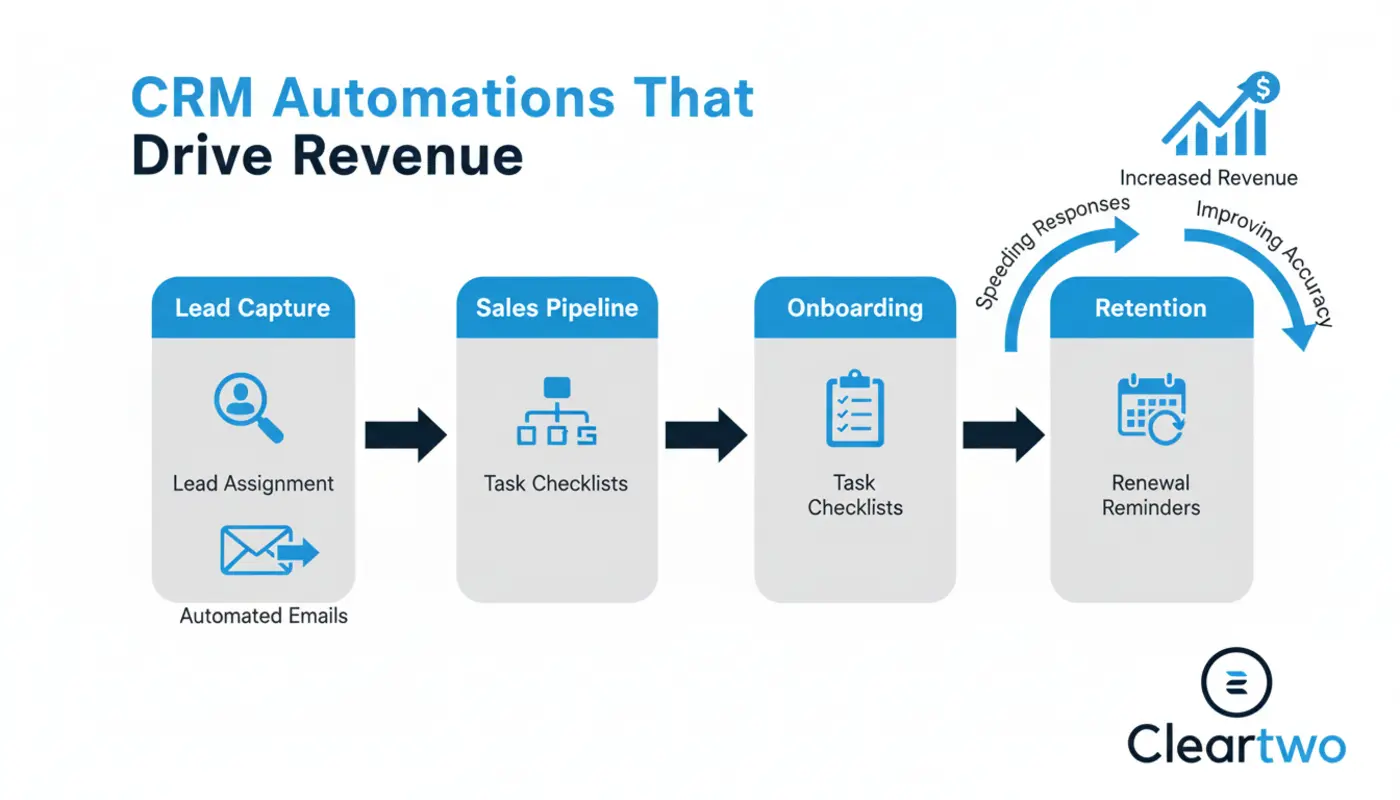
CRM Automations That Drive Revenue
Let’s get this in order. Below are real CRM automation examples grouped by how they boost revenue. Each one covers what it does, why it works, how to set it up, and what you can expect on the ground.
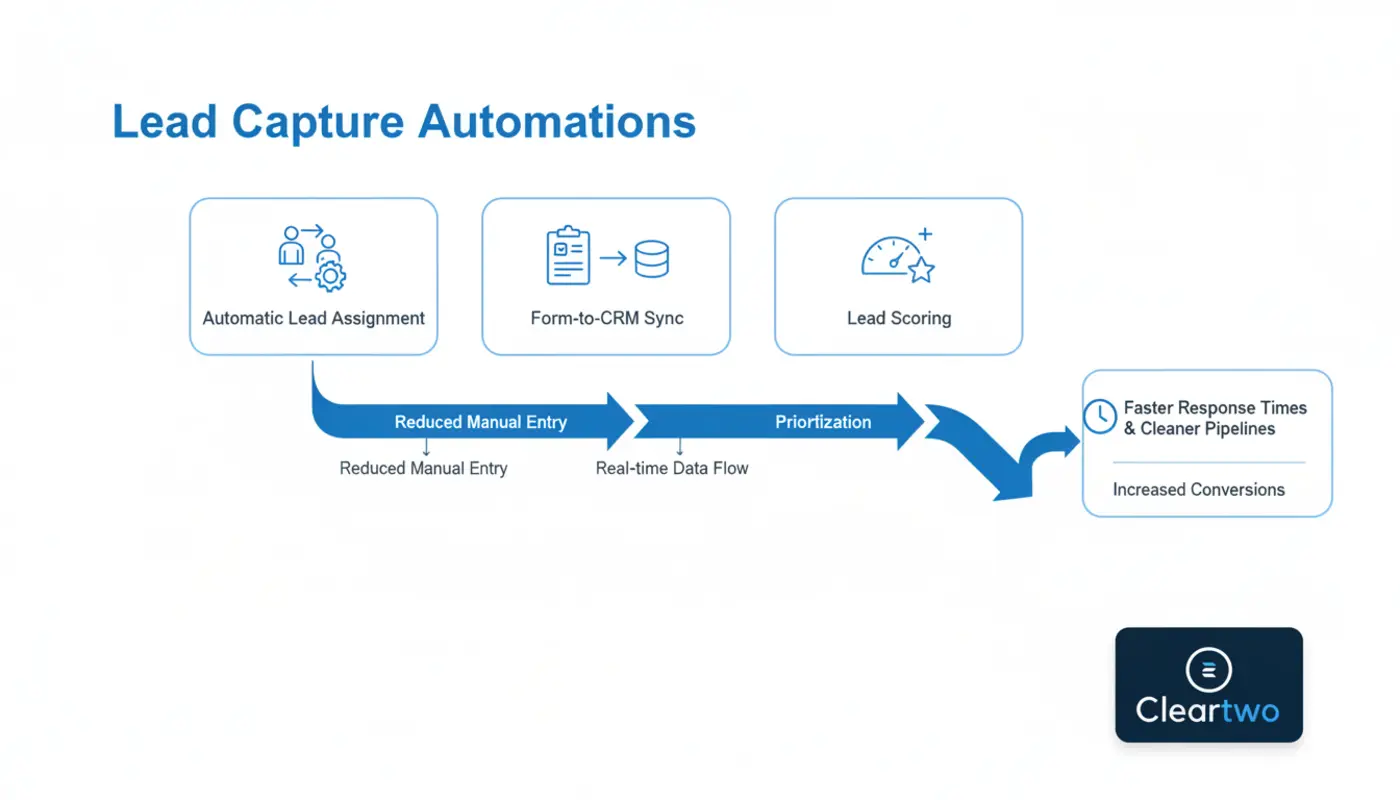
Lead Capture Automations That Drive Revenue
1. Automatic Lead Assignment
New leads go straight to the right salesperson. No inbox checks. No delays. Speed is key when closing deals.
Cloud based CRM platforms make this simple. Set rules by service, area, or campaign. You'll often see a 20 to 40 percent rise in response rate.
2. Form To CRM Sync
Every website form feeds data into the CRM. No manual entry. No missed details.
This is normally done with your web development services. You get faster follow ups and a clean pipeline in weeks.
3. Lead Scoring Automation
The CRM gives points to leads based on actions like page views or email clicks.
Your team focuses only on warm leads. Close rates rise. Time is saved.
4. Instant Lead Alerts
Your team gets quick alerts for high value leads through Slack, email, or calls.
This cuts response time from days to hours. Deals move faster.
Sales Pipeline Automations That Drive Revenue
5. Stage Based Task Creation
When a deal moves forward, new tasks appear. Calls. Demos. Proposals. All automatic.
We link this with CRM sales operations work. Expect 10 to 15 percent better conversions.
6. Automated Follow Up Emails
If a client goes quiet, the CRM sends a polite follow up.
Teams often miss this step. This alone brings back lost deals and is easy to set up.
7. Deal Probability Forecasting
The CRM forecasts which deals are likely to close based on real data.
Managers plan better. Cash flow stays steady. Stress drops.
8. Quote And Proposal Automation
Quotes are created from deal data. No copy and paste. No errors.
We often connect this with CRM integrations. Close time improves. Mistakes drop.
Onboarding Automations That Drive Revenue
9. Welcome Email Sequences
New clients get clear onboarding steps through helpful emails.
This stops confusion and cuts early churn. Shopify covers this well in their CRM automation overview.
10. Internal Handover Notifications
Once a deal closes, your delivery team gets an alert.
Handover delays disappear. Clients get a smoother start.
11. Task Checklists For Delivery Teams
Every new client starts a checklist so nothing is missed.
This supports growth as your team expands.
12. Automated Progress Updates
Clients get updates without chasing.
This builds trust and reduces support tickets.
Retention Automations That Drive Revenue
13. Renewal Reminder Workflows
The CRM alerts your team before renewals expire.
We link this with CRM analytics dashboards. Many clients cut churn by 10 to 20 percent.
14. Upsell And Cross Sell Triggers
The CRM suggests upgrades based on purchase history.
This works well with AI tools and digital marketing services.
15. Customer Health Scoring
If engagement drops or support issues rise, the CRM alerts you.
Your team can act early before revenue drops.
Review Automations That Drive Revenue
16. Automated Review Requests
Happy clients get review requests at the right time.
This boosts e commerce marketing and local SEO.
17. Review Monitoring Alerts
Negative reviews trigger alerts so your team can respond fast.
This is vital for IT support and service based brands.
Priority Ranking Of Revenue Impact
- Lead assignment speed
- Automated follow ups
- Pipeline visibility
- Onboarding workflows
- Renewal reminders
- Review requests
Human Versus Automated Decisions
Automation handles repeat tasks. Humans handle judgement.
Let machines take care of data entry, reminders, and scoring. Your team should focus on pricing, negotiation, and relationships.
Platform Specific Approaches
Each business needs a different CRM setup. Shopify is great for e commerce. Salesforce works for complex pipelines. HubSpot suits small and medium businesses.
We help companies choose the right tools through our digital transformation services.
Checklist Before You Automate
- Clear sales stages
- Clean data
- Defined ownership
- Simple workflows
- Training planned
- ROI tracked
Read more about CRM planning in our latest blog about digital marketing trends and our CRM strategy article.
Ready To Move Forward
You don’t need all 17 automations on day one. Start with the one that saves the most revenue. Build from there.
Cleartwo helps UK businesses design CRM automation that works. You can scale without wearing out your team.
Frequently Asked Questions
What is the fastest CRM automation to implement
Automatic lead assignment. It’s quick and delivers fast returns.
Do CRM automations replace sales teams
No. They remove admin so your team can focus on closing deals.
Are CRM automations expensive
Most come built in. The main cost is setup time.
Which businesses benefit most from CRM automation
Any business with leads, clients, or renewals. Most SMEs see big gains.
Can Cleartwo customise CRM workflows
Yes. We build CRM systems and automation based on your real operations.