Best VoIP Phone System
Let’s make this simple. The best VoIP phone system for small business teams in the UK is usually a hosted VoIP or cloud PBX system. It should be easy to manage, simple to grow, reliable, and backed by a UK based support team. For many small businesses, a fully managed setup like Cleartwo VoIP phone systems gives the best mix of features, support, fair pricing, and future readiness.
Let’s be honest. Choosing a phone system is not most people’s idea of a thrilling afternoon. But with the UK PSTN switch off coming in January 2027, doing nothing is now a risky plan.
Here’s the good news. Modern business phone systems are much easier than the old phone cupboard full of cables. PSTN means Public Switched Telephone Network. It is the old landline network. As it is being retired, small businesses need a digital option that keeps calls clear and teams connected. Cleartwo helps small teams move with managed setup, UK based support, Teams voice integration, enterprise features at SME pricing, and a 99.99% uptime SLA.
Why A VoIP Phone System Matters For UK Small Businesses
Your phones sit at the centre of sales, support, daily work, and customer trust. If calls drop, queues fail, or remote staff cannot answer properly, customers notice fast. And not in a charming British way.
The Public Switched Telephone Network, usually called PSTN, is being retired in the UK. That means old analogue and ISDN lines need replacing with digital options such as hosted VoIP, SIP trunking, or a cloud phone system before January 2027. SIP trunking connects an existing phone system to internet based calling. No wizard hat required.
A good system should not only replace your landline. It should improve how your team works. It should link with your CRM integrations, support flexible working, and give managers useful call data without making anyone feel like they need a telecoms degree.
What Small Business Teams Need First
Before comparing providers, start with the basics. Who answers calls every day? Do staff need to take calls away from the office? Are customers waiting too long? Are missed calls hiding in plain sight like socks in a tumble dryer?
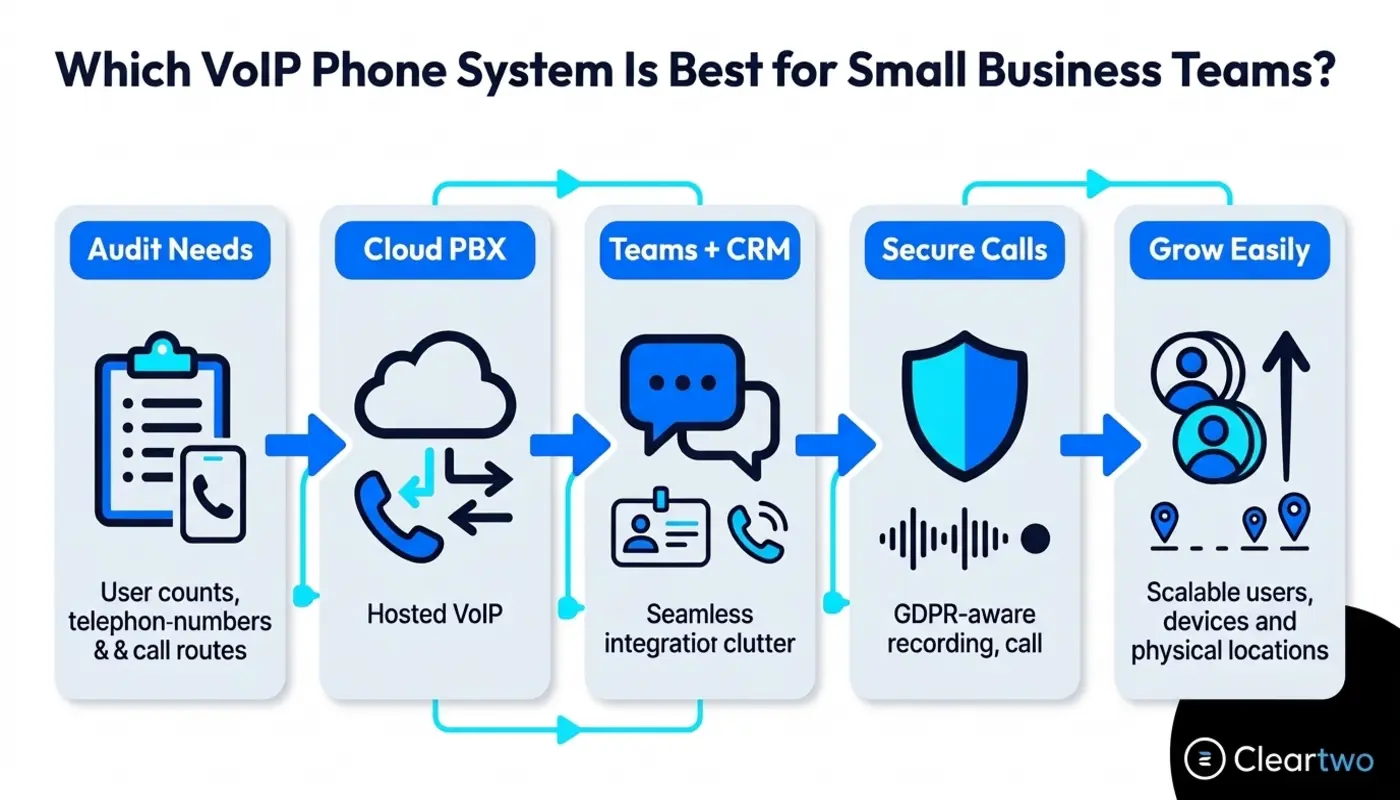
Small businesses need to understand their users, call routes, devices, internet connection, security needs, and growth plans. No stress. This is just a phone system reality check.
Start by listing who takes calls, who makes outbound calls, who works remotely, and which numbers matter most. If your sales team uses a cloud CRM, which means Customer Relationship Management software, or your service team needs call recording, those needs should shape the system from day one.
You should also check your broadband, router, and Wi Fi. VoIP sends voice over the internet, so your connection needs to give calls priority. This is often called quality of service, or QoS. It simply means voice traffic gets a smoother ride than someone downloading a giant file.
Key VoIP Features To Prioritise In 2026
The best VoIP features for UK small teams in 2026 are the ones staff will use every day. Fancy extras are nice, but if nobody touches them, they are just expensive buttons.
- Call routing rules
- Auto attendant menus
- Mobile softphone apps
- CRM call logging
- Secure call recording
- Live call analytics
- Teams voice calling
Call routing sends callers to the right person or team. Auto attendants give callers simple menu options. Call queues stop customers being bounced around like they are in a sitcom about bad admin.
For sales teams, CRM telephony integration is a big win. It can support click to dial, automatic call notes, recordings linked to customer records, and stronger reporting across custom CRM systems.
Microsoft Teams phone integration is also worth serious thought if your team already uses Microsoft 365. Cleartwo can help bring calls into Teams. This keeps chats, meetings, and business calls in one familiar place.
Hosted VoIP Vs On Premise VoIP
Hosted VoIP makes more sense for most UK small business teams. It needs less hardware, has lower upfront costs, and is managed by the provider.
Hosted VoIP means the phone system runs in the cloud. PBX means Private Branch Exchange. It is the system that manages your business calls. In a cloud PBX, your team can use desk phones, headsets, browser calling, or mobile apps. The provider handles updates, hosting, resilience, and much of the technical work.
On premise VoIP means you run your own phone server. It often uses SIP trunking for existing PBX systems. This gives more control, but it also means more responsibility for backups, security, updates, hardware, and fixing issues. Between you and me, most small teams have better things to do.
If your business already works with external technology partners, hosted VoIP can sit neatly alongside managed IT support and wider IT security planning. This helps your phone system support the way your team already works.
How Much Should A UK Small Business Budget For VoIP?
Let’s talk money, because surprise costs are nobody’s favourite plot twist. A UK small business should usually budget around £5 to £30 per user per month for VoIP. The cost depends on features, support, call bundles, integrations, and compliance needs.
A realistic mid range hosted VoIP system often sits around £12 to £18 per user per month. Entry level plans may suit very small teams with basic calling. Mid range plans usually add better call routing, voicemail to email, apps, reporting, and support. Full UCaaS solutions can cost more. UCaaS means Unified Communications as a Service. It brings voice, video, messaging, and teamwork tools into one service.
Do not forget setup costs. You may need handsets, headsets, number porting, setup, training, router checks, and testing. If you want a deeper cost breakdown, this UK VoIP pricing guide explains what is normally included.
Many SMEs can save up to 60% compared with old phone systems. Savings often come from removing line rental, old maintenance contracts, call charges, and mobile workarounds. The exact saving depends on your current setup, so a proper audit is always better than guessing.
What Sets The Best UK VoIP Options Apart?
The best UK VoIP options are not only about a long feature list. They stand out through reliable hosting, clear pricing, strong support, useful integrations, compliance features, and simple management.
Some setups lean heavily on self service portals. That can work if you enjoy spending Friday afternoon learning call routing rules with a cold coffee. For many SMEs, a managed partner is better. Setup, testing, training, and support are handled properly.
Cleartwo works with trusted VoIP platforms and wraps them with managed support, practical advice, and a smoother service experience. You get capable technology. You also get people who can help you plan the move, avoid downtime, keep your numbers, and train your team without making it feel like homework.
For growing teams, Cleartwo can also connect VoIP with cloud infrastructure solutions and customer support processes. This means your phone system does not sit in a lonely corner doing its own thing.

Ease Of Setup And Management
A small business VoIP system should be quick to set up, easy to manage, and simple for staff to use. If the admin portal looks like it was designed by aliens, that is usually a warning sign, not a feature.
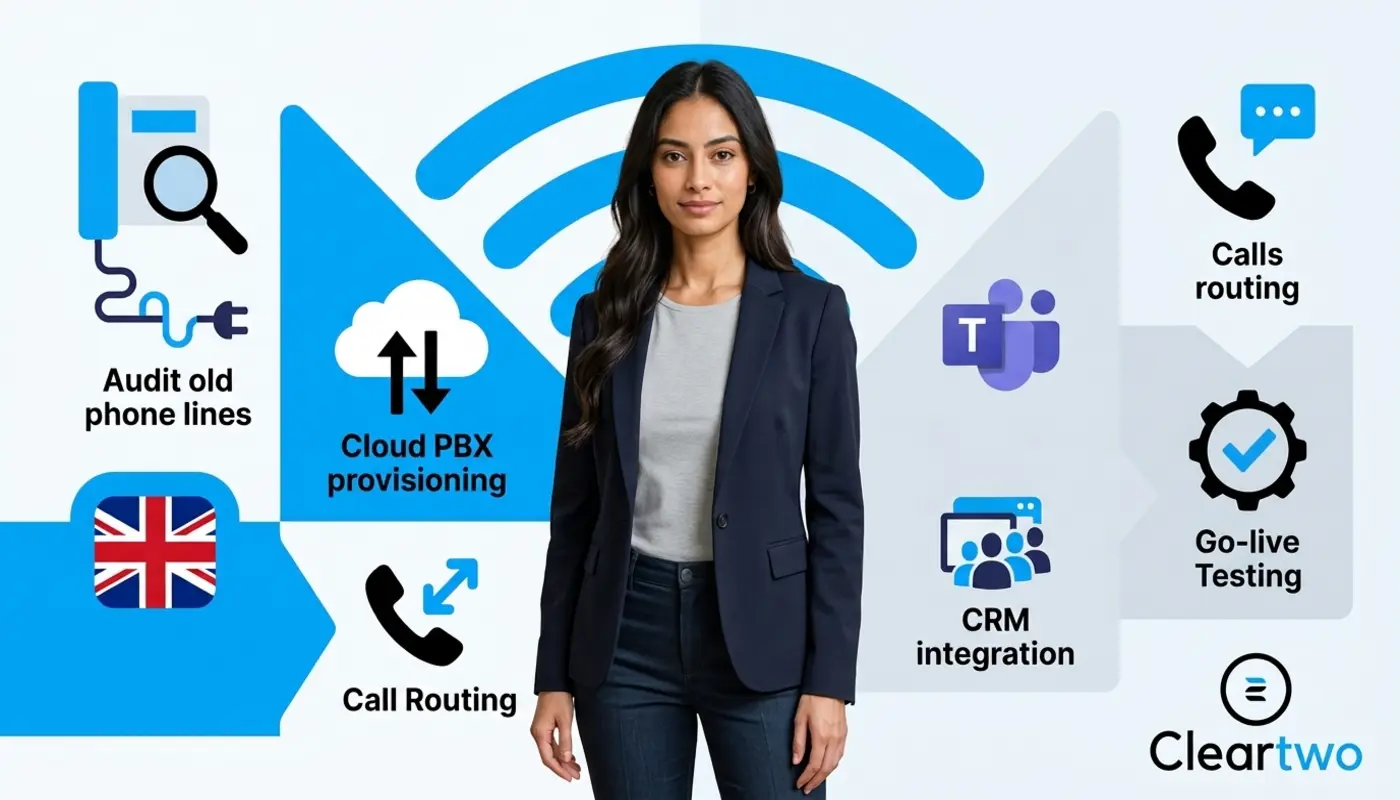
Good setup starts with a phone system audit. You map current numbers, users, devices, call routes, opening hours, voicemail rules, and any existing contracts. Cleartwo covers this through business phone system audits. This helps avoid nasty surprises during migration.
Everyday tasks should be straightforward. You should be able to add users, change opening hours, update call menus, check missed calls, and review reports without raising a support ticket for every small change.
Worried about staff training? That is completely normal. The right system should feel familiar after a short walkthrough. It should not feel like learning how to land a small aircraft.
Scalability And Flexibility As Your Team Grows
The right VoIP system grows with your team. It lets you add users, numbers, sites, devices, and features without replacing the whole system. That is one of the biggest benefits of hosted VoIP for small businesses.
If you hire five new people, open another office, or add a remote support team, a cloud PBX can adapt quickly. You can assign numbers, set up hunt groups, add call queues, and give mobile app access without waiting weeks for physical lines.
This also matters when your wider tech stack changes. A modern VoIP system can link with CRM platforms, helpdesk tools, reporting dashboards, and business automation tools as your processes grow.
Support Reliability And Compliance For UK Businesses
UK small businesses should expect clear support response times, uptime promises, backup routing, secure call recording, and transparent data handling from any VoIP provider. Phones are too important for vague promises.
Look for a clear SLA, which means service level agreement. In plain English, it tells you what uptime and response times to expect. Cleartwo’s 99.99% uptime SLA is designed to give SMEs confidence that their phone system is not held together with crossed fingers.
For regulated sectors, call recording needs careful handling. You need role based access, retention rules, secure storage, and GDPR awareness. GDPR means General Data Protection Regulation. It covers how personal data should be handled.
How To Choose A VoIP Phone System
To choose a VoIP phone system for a small business team, build a clear list of needs. Check your broadband, compare total costs, test key features, and choose a provider that can support migration and future growth.
Your checklist should include users, numbers, current contracts, remote working needs, Teams integration, CRM integration, call recording, reporting, number porting, and support expectations. If you want a fuller buying process, Cleartwo’s VoIP buying checklist is a useful next step.
Run a small pilot if possible. Test call quality, mobile apps, voicemail, call routing, analytics, and user experience. If your least technical team member can use it without sighing loudly, you are probably on the right track.
Finally, think about the next three to five years. Your phone system should support PSTN switch off migration, hybrid work, Microsoft Teams phone, CRM workflows, customer service, and growth without turning into a messy bundle of bolt ons.
Frequently Asked Questions
Do I Have To Move To VoIP Before The PSTN Switch Off?
Yes. If your business still uses analogue or ISDN lines, you should plan your move before the January 2027 PSTN switch off. Leaving it late can create risks around number porting, installation slots, contract timing, and service continuity. Starting early is the sensible route.
Can I Keep My Existing Business Numbers When Moving To VoIP?
In most cases, yes. Your existing business numbers can usually be moved to a cloud VoIP system. This is called number porting. The current provider must release them, and the details must match. A managed provider like Cleartwo can handle the process and help reduce downtime during the switch.
Is Hosted VoIP Reliable Enough For A Small Business?
Hosted VoIP is reliable when your broadband, router, network settings, and provider infrastructure are set up properly. A strong service should include resilience, backup routing, monitoring, and a clear uptime SLA. For most SMEs, hosted VoIP is now more practical than keeping old on site phone hardware.
Can Microsoft Teams Work As My Business Phone System?
Yes. Microsoft Teams can work as a business phone system when it is connected to calling through Teams Phone, Direct Routing, or a managed VoIP provider. This lets staff make and receive external calls inside Teams while keeping business numbers, call queues, voicemail, and routing features.
How Long Does It Take To Set Up A VoIP System?
A simple VoIP setup can often be completed in days. Number porting and more complex call routes may take a few weeks. The timeline depends on users, sites, hardware, integrations, and current contracts. A managed setup keeps the process organised and reduces disruption.