
Improve VoIP Call Quality
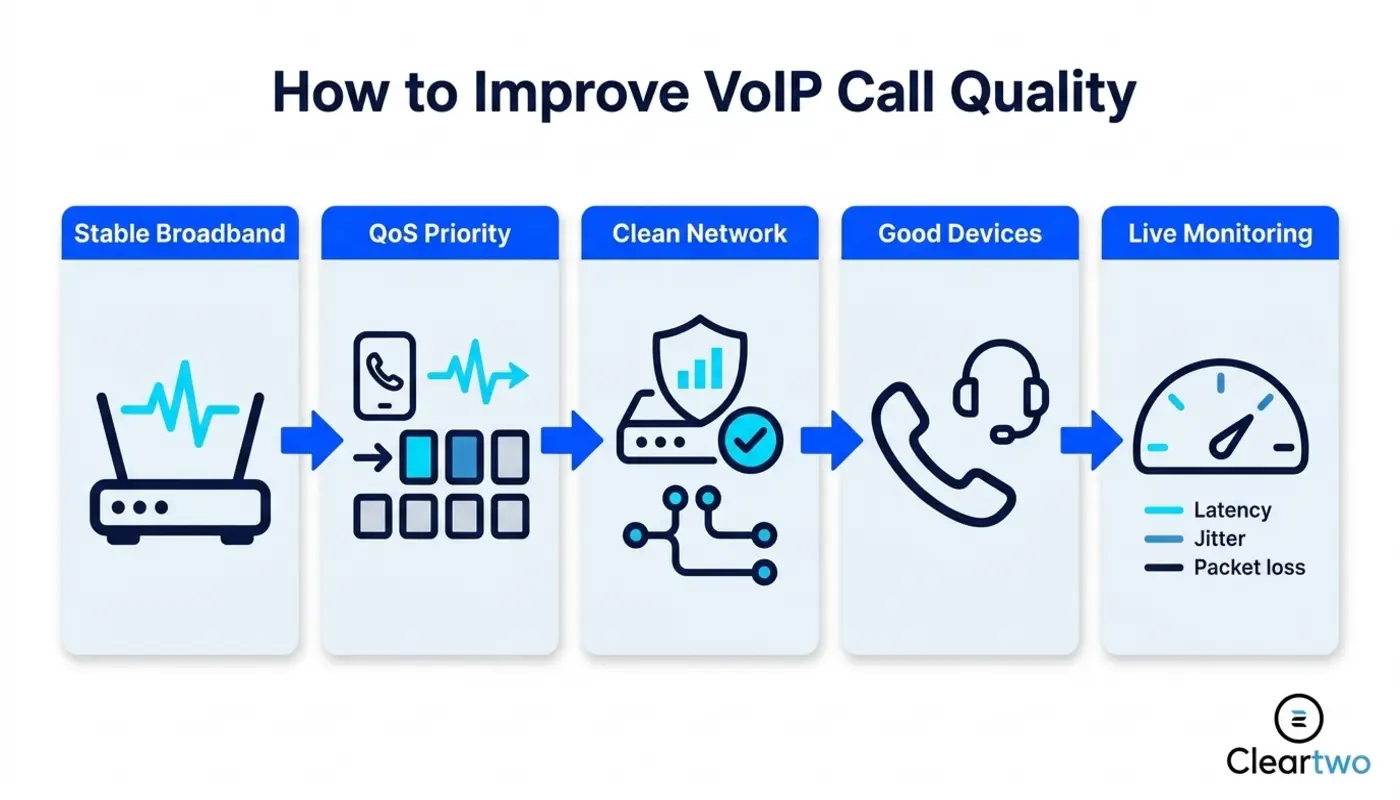
To improve VoIP call quality, start with the basics that actually matter. You need stable broadband, a well set up network, a decent router, Quality of Service settings, and proper call hardware. Poor calls are not just annoying. They lead to missed sales, unhappy customers, tired support teams, and staff repeating themselves all day. Yes, shocking news. A business phone system needs more than hope and a dusty router from 2017. If you want a managed setup instead of guesswork, Cleartwo can help UK businesses plan, install, and support reliable VoIP from the start.
Poor VoIP calls usually come from delay, jitter, packet loss, network congestion, weak wireless cover, bad headsets, or a provider setup that has not been tested properly. In plain English, your voice data is being delayed, dropped, or damaged before it reaches the other person. Does it get worse at busy times? Do home workers sound worse than office users? Does everyone suffer, or just one person with a headset that belongs in a drawer?
Here is what is actually happening. VoIP quality depends on the full chain. That means broadband, router, firewall, switches, wireless, devices, provider routing, and support. If one part is weak, the call suffers. Paying for internet calls that sound like a biscuit tin on string is not a plan.
Why VoIP Call Quality Is Still A Major UK Business Issue In 2026
VoIP call quality is still a major issue because many UK firms moved to hosted VoIP without fixing the network underneath it. Ofcom has made it clear that the old PSTN network is being retired by January 2027. So businesses cannot keep acting like analogue phones will stay around forever, like an old office printer nobody admits buying.
The problem is simple. VoIP depends on broadband and network stability. A traditional phone line carried voice on a separate line. VoIP sends calls over the same connection as emails, cloud CRM, file syncing, video meetings, business tools, and every useless browser tab your staff have open.
Digital does not automatically mean better. A cloud PBX can sound excellent, but only when the setup is right. If your network is overloaded, your calls can break up, echo, lag, or drop. Then everyone blames the VoIP provider because blaming the router feels less exciting.
How To Diagnose VoIP Call Problems
Start with the symptoms, not guesses. If calls are choppy, packet loss or jitter is usually involved. If people keep talking over each other, delay is too high. If calls drop at random, check broadband stability, firewall rules, SIP settings, or handset registration.
Check these areas before shouting at support:
- Broadband speed
- Connection stability
- Router performance
- Network congestion
- Voice priority settings
- Headset quality
- Provider call logs
Split the fault into three areas. The first is the local network. This includes broadband, router, switches, firewall, and wireless. The second is the endpoint. This means the desk phone, softphone app, headset, laptop, or mobile device. The third is the provider. This includes SIP trunking, carrier routing, cloud PBX setup, and platform faults.
Work through it in order. Test the device first. Then test the local network. Then check broadband stability, call logs, and provider routing. If every user has the same issue at the same time, look at broadband, firewall, or provider routing. If one person sounds terrible, check their headset, laptop, home connection, or app settings. Come on, it is not always the cloud. Sometimes it is Dave using a ten pound headset in a kitchen full of echo.
Broadband Speed And Stability For VoIP Call Quality
Broadband speed matters, but stability matters more. A fast connection that drops voice data is still rubbish for calls. VoIP needs a steady stream of small voice packets. It does not need a heroic download speed that looks good on a sales sheet but fails during real calls.
Latency is the delay between speaking and being heard. Jitter is when voice packets arrive at uneven times. Packet loss is when parts of the call never arrive. Together, they create the classic VoIP problems. Robotic sound, gaps, echo, awkward silence, and people asking, 'Can you hear me now?' until everyone loses the will to live.
For most UK businesses, business grade broadband is the sensible choice. It gives better service levels, stronger support, static IP options, and faster fault handling. Consumer broadband is fine for watching films. It is less fine when your sales team, support desk, Microsoft Teams Phone users, and CRM system all rely on stable calls.
If you are planning a business phone system upgrade, run a proper readiness check first. This guide on business broadband speed for VoIP is a good place to start before buying random hardware and hoping for the best.
How Quality Of Service Improves VoIP Call Quality
Quality of Service, or QoS, tells your network to treat voice traffic as urgent. In simple terms, it lets phone calls jump the queue ahead of less important traffic. That includes file downloads, software updates, and someone uploading huge design files during peak call time. Brilliant timing, obviously.
Voice is sensitive to delay. Emails can wait a second. A phone call cannot. If your network treats every bit of data the same, VoIP calls fight for space with cloud backups, ecommerce activity, video meetings, CRM systems, website tools, and normal daily traffic.
QoS is useful for busy offices, hybrid teams, and businesses with more than one site. It helps protect hosted VoIP, UCaaS, call recording, Microsoft Teams phone calling, and SIP trunking when bandwidth gets tight. Microsoft also recommends call analytics and QoS in Teams setups to track and improve call experience.
The mistake is setting QoS once and forgetting it. Networks change. New apps arrive. Staff numbers grow. Someone adds a new security tool. Suddenly your voice traffic is not being prioritised properly, and everyone acts shocked. Stop pretending networks look after themselves.
Router And Network Hardware For Better VoIP Calls
Your router matters. If it cannot handle modern traffic, SIP sessions, firewall checks, VPN users, and QoS rules, your VoIP calls will suffer. An old router is not charming. It is a bottleneck with flashing lights.

Business routers, managed switches, reliable access points, and good cabling can make a major difference. For larger teams, voice traffic should often sit on its own virtual network. This keeps calls away from busy data traffic and gives your IT team better control.
Firewalls also need proper VoIP handling. SIP ALG is a router feature that tries to help voice traffic. In many cases, it causes problems instead. Helpful in the same way a toddler helps paint a wall. In many business setups, it should be turned off or set up carefully.
If your business also relies on IT security, cloud CRM, custom CRM systems, AI marketing tools, or AI driven solutions, network planning matters even more. Voice is now part of your wider digital setup. It is not a separate phone line hidden in a cupboard.
How Codec Choice Affects VoIP Call Quality
A codec turns your voice into digital data and back again. Some codecs use more bandwidth and give clearer audio. Others use less bandwidth but compress the sound more. That is the trade off. Not magic. Just maths wearing a telecoms badge.
G.711 is common and gives strong audio quality, but it uses more bandwidth. G.729 uses less bandwidth, which can help on limited connections, but the sound quality is lower. Modern systems can also use wideband codecs that make speech clearer, especially on internal calls and supported devices.
Codec mismatch causes trouble. If your provider, handset, SIP trunk, session border controller, or Teams voice setup does not agree on the right codec, calls can sound thin, delayed, or distorted. This is why testing matters before a full rollout. A five minute test call is not a deployment plan. It is a quick check.
For most UK SMEs in 2026, the right codec depends on bandwidth, device support, remote worker setup, call recording needs, and provider settings. A managed provider should assess this for you. You should not be left guessing through admin menus that look like they were designed during a power cut.
Headsets Handsets And Audio Equipment For VoIP
Bad headsets ruin good VoIP. Straight up. You can have perfect broadband, QoS, a modern cloud PBX, and strong SIP routing, then ruin it all with a cheap microphone that picks up every keyboard tap, chair squeak, and office cough.
USB headsets are often more stable for desk users than Bluetooth headsets, especially in busy offices. Bluetooth can work well, but interference, battery level, and pairing issues can create uneven audio. Desk phones still make sense for reception, support desks, warehouses, and anyone who handles many calls.
Home workers need proper equipment too. A softphone on a laptop is fine when the headset, connection, and audio settings are right. If staff are taking customer calls through laptop speakers, that is not remote working maturity. That is chaos with a calendar invite.
How UK Businesses Should Test VoIP Call Quality
Testing VoIP once during setup is not enough. You need ongoing checks because networks change, staff move, broadband loads shift, and new tools get added. Track latency, jitter, packet loss, call drops, device faults, and Mean Opinion Score. Mean Opinion Score is a simple call quality score.
Use dashboards where they are available. Microsoft Teams setups can use call analytics and quality dashboards. Hosted VoIP platforms should provide call logs, registrations, call path details, and sometimes quality scores. If your provider cannot show evidence, you are troubleshooting with vibes. Lovely, but useless.
A sensible routine is simple. Review call quality weekly for busy teams. Review it monthly for normal users. Check it again after any network change. Log what changed, who was affected, when it happened, and which devices were used. That gives support useful facts, not just, 'the phones were weird yesterday'.
You can also read our practical VoIP call quality guide for more detail on what strong business telephony UK performance should look like.
When Poor VoIP Quality Is A Provider Problem
Sometimes the issue is outside your network. Provider problems can include SIP trunking faults, carrier routing issues, platform congestion, number routing errors, session border controller setup, poor peering, or badly set up call recording. Yes, providers can get it wrong too. Let us not pretend the cloud is powered by angels.
Before you escalate, collect evidence in a sensible order. Test another headset or handset. Try a wired connection instead of wireless. Check local router and firewall logs. Confirm broadband stability. Review call logs for time, number, direction, device, and location. Then escalate with facts, not a dramatic message that says, 'calls are broken'.
This is where managed support matters. Cleartwo provides VoIP phone systems for UK businesses with setup, porting, support, Teams voice integration, call recording, CRM integration, and ongoing monitoring. That means fewer finger pointing sessions between broadband, hardware, and telephony suppliers.
How CallSwitch One Supports VoIP Call Quality
CallSwitch One can be a strong fit for businesses that want reliable hosted VoIP, cloud PBX features, UCaaS tools, call routing, recording, mobility, and integrations without turning the phone system into a second job. The key point is not just the platform. It is how it is set up, monitored, and supported.
Cleartwo supports CallSwitch One as part of a managed VoIP setup. This helps customers get the call quality basics right from day one. That includes setup, configuration, pricing, support, training, and troubleshooting. Self service is great until your phones stop working at 9:05 on Monday and everyone finds out the admin password left with someone in 2022.
How To Future Proof Your UK Business VoIP Setup
Future proofing means planning for the PSTN switch off, growth, remote working, compliance, and integrations now. Do not wait until January 2027 and then panic buy a phone system like it is milk before a snowstorm.
Build for more users than you have today. Plan for calling across more than one site, home workers, mobile apps, CRM integration, call queues, reporting, and compliant call recording. If your sales team uses click to call, screen pops, or cloud CRM records, VoIP quality affects productivity directly.
Strong VoIP also depends on wider IT support for businesses. Your phones, network, security, CRM, Microsoft 365, and digital tools all overlap. If you want to discuss your setup, speak to a Cleartwo VoIP specialist.
Frequently Asked Questions
Why Are My VoIP Calls Choppy Even Though My Internet Is Fast?
Fast internet does not guarantee good VoIP call quality. Choppy calls usually come from jitter, packet loss, network congestion, weak wireless signal, or poor router handling. VoIP needs stable delivery, not just high download speed. Test latency, packet loss, router logs, and headset quality before blaming the provider.
What Broadband Speed Do I Need For Business VoIP?
Most VoIP calls use modest bandwidth, often around 100 kbps per call depending on the codec. Stability is more important than raw speed. A UK business should allow enough capacity for calls, Teams meetings, cloud apps, backups, and normal browsing. Check peak time usage. Then choose business grade broadband with strong uptime and support.
Does QoS Really Improve VoIP Call Quality?
Yes. QoS can improve VoIP call quality by prioritising voice traffic over less urgent data. It helps stop calls breaking up when the network is busy. QoS must be set up properly on routers, switches, and supported devices. If call problems return, review the rules after any network or software change.
Can Microsoft Teams Be Used For Business Phone Calls?
Yes. Microsoft Teams can work well for business calls when it is connected to the right voice service and network setup. Teams Phone, Direct Routing, and managed voice integration need monitoring, QoS, good headsets, and call analytics. Start by checking call quality dashboards, device reports, and user locations.
How Can I Tell If VoIP Issues Are My Provider Or My Network?
If all users across locations have the same issue at once, the provider or carrier routing could be involved. If only some users are affected, check broadband, devices, wireless, routers, and local congestion first. Collect call times, numbers, devices, locations, and logs before escalating. If the issue keeps coming back, get the setup reviewed properly instead of playing ticket tennis forever.