VoIP Phone Basics
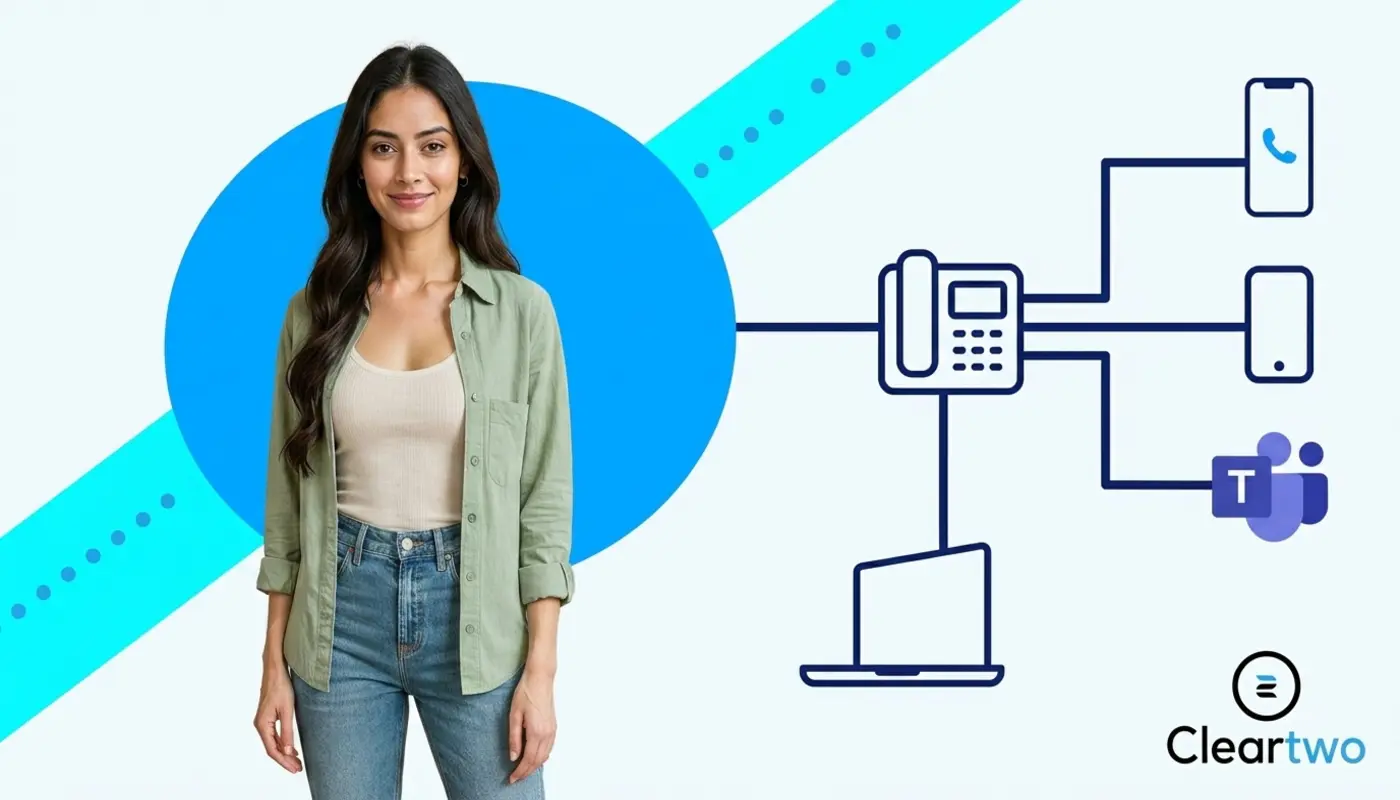
A VoIP phone is a business phone that uses the internet to make and receive calls. It does not rely on old copper phone lines. It turns your voice into digital data. That data travels through your broadband, then turns back into sound for the person listening. If you are planning a move to modern business telephony in the UK, Cleartwo sets out the main options through its VoIP phone system services.
For UK businesses, this matters now. The old PSTN network is due to be switched off by January 2027. Traditional landlines, older PBX systems, and some ISDN setups will need replacing. Digital voice services such as hosted VoIP, cloud PBX, and SIP trunking are the main options.
Your phone system no longer has to sit still on a desk. It can become part of the full customer experience. Cleartwo helps businesses make this move with less stress. Support includes managed setup, UK based help, Microsoft Teams voice links, useful business features, SME friendly pricing, and a 99.99 per cent uptime SLA.
What Is A VoIP Phone In Plain English?
A VoIP phone looks and feels like a normal desk phone. The difference is how it connects. Instead of using a wall socket for a landline, it connects to your internet network. This is often done through an ethernet cable or WiFi. You can explore related guidance in Cleartwo’s plain English VoIP guide for UK business owners.
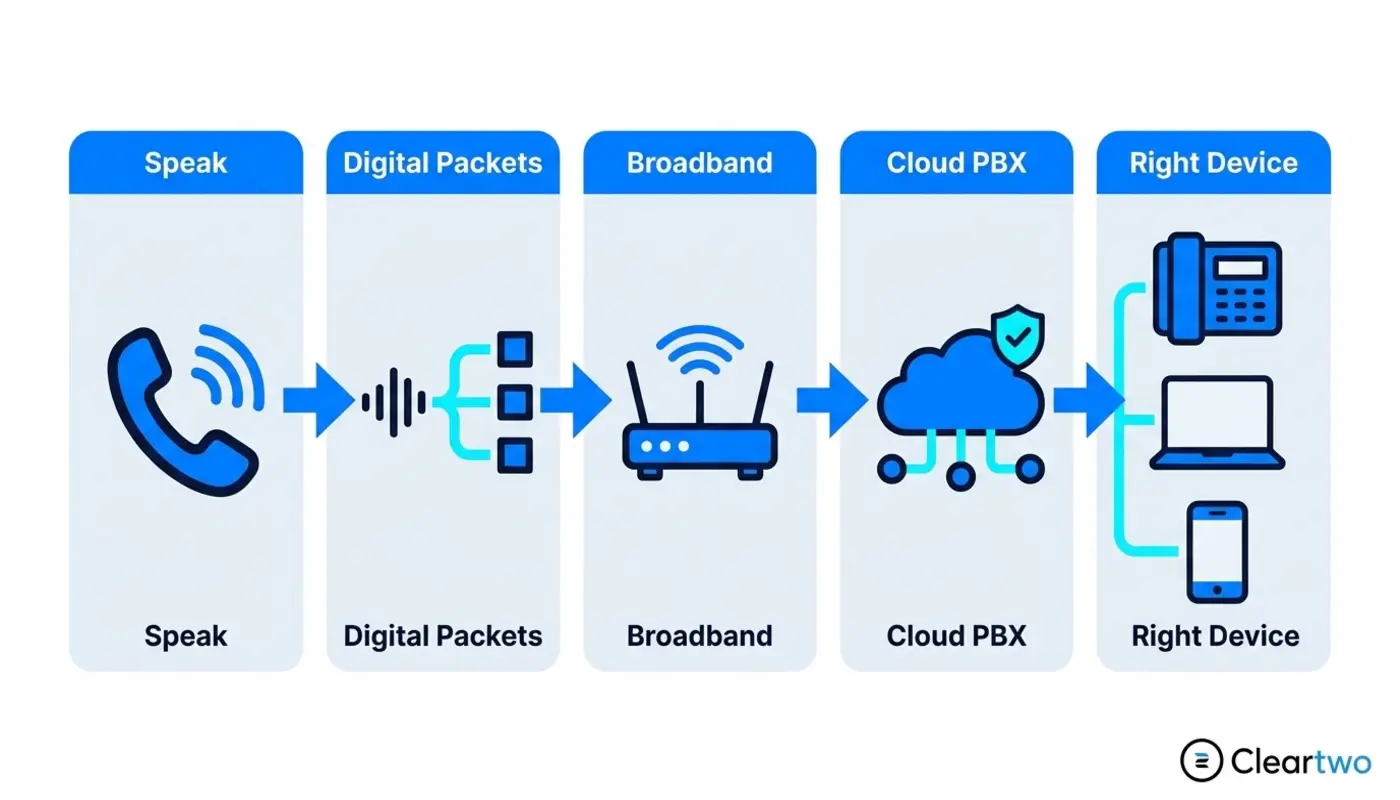
Calls are no longer tied to one desk, one office, or one physical line. They can reach desk handsets, laptops, mobiles, Microsoft Teams phone users, and remote workers. This gives your team more freedom. It also helps customers reach the right person faster.
A VoIP handset for business usually includes familiar buttons. These include hold, transfer, mute, voicemail, and speaker. The real work happens inside the cloud PBX. This is the online phone system that manages users, numbers, call routes, queues, and features. It is the quiet structure behind every smooth call.
How A VoIP Phone Works Behind The Scenes
When you speak into a VoIP phone, your voice is split into small digital packets. These packets travel through your internet connection. They reach the VoIP platform, then rebuild as clear audio for the person at the other end. If you want a deeper look, this guide on how business VoIP works is a useful next step.
What SIP And Codecs Do
SIP is the method that starts, manages, and ends the call. A codec is the tool that makes your voice data smaller, so it can travel smoothly. It also rebuilds the sound at the other end. RTP carries the live voice audio during the call.
This all happens in seconds. You press call. The system checks where the number should go. The best route is chosen. The audio starts to move. With good broadband and the right setup, it feels as natural as using a traditional desk phone.
Once calls become digital, the whole phone system becomes easier to shape around real work. Your team is not fixed to one place. Calls can follow people, teams, and opening hours. The result is often calmer staff and a better customer experience.
Why UK Businesses Are Replacing Desk Phones With VoIP
UK businesses are moving to VoIP because it offers more flexibility, better features, lower running costs, and a clear way to avoid PSTN switch off risk. A modern cloud phone system can support office teams, hybrid workers, sales staff, support desks, and multi site companies from one managed platform.
Old phone systems can feel like they belong to another era. They work until they do not. VoIP lets calls become part of the wider digital workplace. It can sit beside cloud CRM, business automation, digital marketing solutions, IT support for businesses, and AI driven solutions.
For growing companies, this is more than a telecoms change. It can improve how customers feel when they contact you. You can route calls by team, record calls where needed, connect calls to custom CRM systems, and spot missed call patterns before they become lost sales.
It is normal to have concerns before moving. Business owners often ask if calls will still sound clear. They ask if customers will notice the switch. They ask if staff will find it easy. With good planning, the change can feel calm, guided, and almost invisible.
Types Of VoIP Phones For UK Businesses
There are three main types of VoIP phones. These are hardware desk phones, softphones, and mobile VoIP apps. Each one suits a different way of working. The right mix depends on how your people answer calls. Cleartwo outlines practical options in its VoIP hardware guide for UK offices.
Hardware VoIP phones are useful for reception desks, customer service teams, shared offices, and people who prefer a physical handset. They feel familiar. This helps teams move away from old desk phones with less friction.
Softphones are apps on a laptop or desktop. They work well for sales teams, remote staff, and people who spend the day inside a CRM or Microsoft 365. Mobile VoIP apps are useful for field teams, directors, engineers, and anyone who needs the office number while away from the office.
Hardware VoIP Phones Vs Softphones
Hardware phones give people a dedicated device, clear buttons, and a familiar desk setup. Softphones give teams more freedom, especially when used with headsets, CRM integration, and Microsoft Teams phone workflows.
The choice is not always one or the other. Many UK SMEs choose a mixed setup. Reception might use physical handsets. Sales might use softphones. Managers might use mobile apps for overflow calls.
- Desk based teams need reliable handsets that feel familiar and keep call handling simple.
- Remote sales staff need softphones that move with them and connect to customer records.
- Reception teams need clear routing, easy transfers, and a simple view of who is available.
- Mobile field workers need office numbers on the move, so customers still feel connected to the business.
- Multi site offices need one joined up system, so every location feels part of the same service.
- Teams voice users need calling inside the tools they already use for meetings, chat, and files.
- CRM focused teams need call notes, click to dial, and customer details when the phone rings.
The design idea is simple. Match the tool to the person. A thoughtful VoIP setup should feel natural from the first day. When it is planned with care, every call becomes easier to answer well.
What A UK Business Needs Before VoIP Phones Work
VoIP phones need reliable broadband, a suitable router, good internal networking, and a planned move from old services. If your internet is unstable, call quality can suffer. Network checks matter before go live.
Bandwidth is not always the biggest issue for small offices. Quality matters more. You need low delay, low packet loss, and traffic rules called QoS. QoS gives voice calls priority over less urgent data, such as large downloads.
Power also matters. Traditional landlines could keep working in some power cuts. VoIP depends on broadband equipment. A small backup power unit for routers and network switches can help protect key calls during short outages.
Number porting should be planned early. This is the process of moving your existing business phone numbers to the new provider. This step by step guide to switching business phone systems walks through migration planning in more detail.
How VoIP Call Quality Compares With Traditional Phones
VoIP call quality can be as good as, and often better than, traditional desk phones when the network is set up well. Modern digital voice can sound crisp, clean, and steady across offices, home workers, and mobile users.
The main things that affect quality are latency, jitter, and packet loss. Latency means delay. Jitter means call data arrives unevenly. Packet loss means some data does not arrive at all. For a practical breakdown, this VoIP call quality guide can help.
A good setup removes most of these problems. This means checking broadband, setting up routers, testing handsets, reviewing WiFi coverage, and making sure voice traffic gets priority. It is not just about buying new phones. It is about shaping the call environment with care.
Will customers notice the switch? In the best case, they only notice that calls feel smoother. Great communication does not shout. It simply works. It supports the moment and gives people confidence that they have reached the right place.
How VoIP Phones Connect With Business Systems
One of the strongest reasons to move to VoIP is integration. This means your phone system can connect with other tools. A VoIP system can link with CRM platforms, Microsoft Teams, call recording tools, analytics dashboards, and customer service workflows. For sales and service teams, CRM phone integration can change the rhythm of the day.
With click to dial, staff can call from a contact record. With screen pop, customer details can appear when the phone rings. With call logging, every conversation becomes part of the customer story. It is no longer a note lost on a pad.
This can also support ecommerce marketing, web development services, AI marketing tools, IT security for SMEs, and wider digital work. Your phone system becomes part of your business design. It is no longer a separate island.
Microsoft Teams phone integration is useful for companies already using Microsoft 365. Teams Direct Routing can connect external calling into Teams. Users can make and receive normal phone calls in the same place they chat, meet, and share files.
Could your phone system make life easier for customers and staff? When each call lands with the right person, with the right context, at the right time, it starts to feel like thoughtful service design.
Why CallSwitch One Is Worth Considering
For many UK SMEs, CallSwitch One is a supported platform option. It can bring hosted VoIP, cloud PBX features, call routing, voicemail, call recording, and user management into one clean place. Cleartwo are CallSwitch One resellers. This means customers can access the platform with Cleartwo guidance around it.
That supported route matters. Businesses are not left to set everything up alone. They get Cleartwo’s UK based guidance, competitive pricing, and improved service support. It is a practical way to access enterprise style features while keeping the personal help many SMEs need.
How To Set Up And Configure VoIP Phones
Setting up VoIP starts with an assessment. A provider should review your current phone lines, numbers, users, call flows, broadband, network equipment, and any analogue devices. These may include alarms, fax machines, or payment terminals.
Next comes planning. This includes choosing handsets or softphones, building call menus, setting opening hours, creating hunt groups, assigning numbers, and planning number porting. Cleartwo’s business phone system audit is useful before this stage.
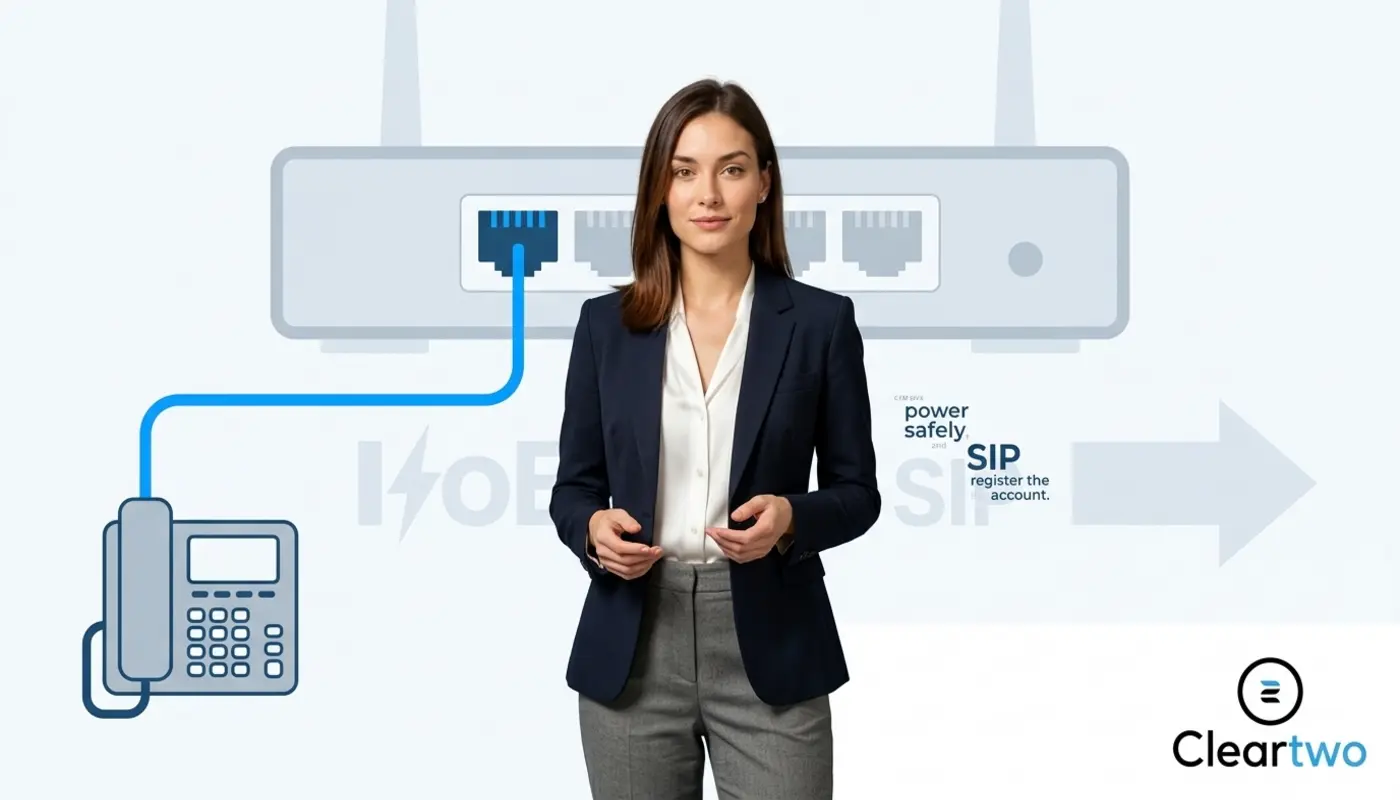
Then comes provisioning. This means preparing phones so they connect to the cloud PBX. Once plugged in, they download their settings and are ready for testing.
Before go live, inbound calls, outbound calls, emergency calling, voicemail, call recording, Teams voice, and CRM integration should be tested. Staff should also get short training. Even the best system only works when people feel confident using it.
Every detail matters. The right call flow can make a customer feel heard. The right voicemail message can protect trust. The right training can turn a new system from something unknown into something your team is happy to use.
The Cost Of VoIP Phones Vs Traditional Handsets
VoIP costs usually include handsets or headsets, user licences, call bundles, setup, support, and any advanced features. Traditional phone systems often carry line rental, PBX maintenance, engineer visits, and hardware replacement costs.
For many UK SMEs, cloud VoIP can reduce monthly phone costs. It can remove separate legacy line rental and expensive maintenance. This UK business VoIP cost guide explores the numbers in more detail.
The hidden saving is flexibility. Adding a user, changing a call route, or supporting a remote worker is often much faster with hosted VoIP than with older systems. That speed creates a better experience for staff and customers.
How To Choose The Right VoIP Phone System In 2026
Choose a VoIP system by looking at your team size, call volume, locations, compliance needs, remote working style, and integrations. A five person studio does not need the same setup as a national support team with queues, recording, and analytics.
Ask whether you need Microsoft Teams phone, SIP trunking, UCaaS features, call recording, CRM integration, mobile apps, or multi site routing. UCaaS means unified communications as a service. In simple terms, it brings calls, messages, meetings, and other tools into one cloud service. Also ask who will support the system after it goes live. Cleartwo’s VoIP buying questions guide is a helpful starting point.
The right choice should feel joined up. Phones, software, data, and support should work together like a well planned workspace. Every detail matters, from the first ring to the final call note.
Is your current setup helping your business grow, or holding it still? A good VoIP system should not only replace what you have. It should create space for better conversations, better service, and a more connected way of working.
A Thoughtful Next Step
VoIP is not just a phone upgrade. It is a chance to redesign how your business sounds, responds, and supports people. With Cleartwo, the move can be planned with care, shaped around your team, and built to keep communication flowing as your business grows.
Frequently Asked Questions
What Is The Difference Between A VoIP Phone And A Normal Phone?
A normal phone usually uses traditional copper lines or an older PBX. A VoIP phone uses the internet to make and receive calls. The experience can feel similar for users, but VoIP adds cloud features such as call routing, voicemail to email, call recording, remote working, and CRM integration.
Do VoIP Phones Work Without The Internet?
VoIP phones need an internet connection because calls travel as digital data. If your broadband fails, calls can often be rerouted to mobiles or another site. The desk phone itself will not work without network access. A backup connection and power protection are sensible for business continuity.
Can I Keep My Existing Business Numbers When Moving To VoIP?
Yes. Most UK businesses can keep their existing numbers through number porting. This moves your current phone numbers from the old provider to the new VoIP service. The process should be planned carefully, so calls keep working during the switch and customers do not notice disruption.
Do VoIP Phones Work With Microsoft Teams?
Yes. VoIP can work with Microsoft Teams through options such as Teams voice integration and Direct Routing. This lets users make and receive external phone calls inside Teams. It is useful for businesses already using Microsoft 365 and wanting one place for calls, meetings, chat, and collaboration.
How Long Does It Take To Set Up VoIP For A UK Business?
Simple VoIP setups can be ready in a few days. Larger migrations may take several weeks due to number porting, call flow design, testing, and training. The timeline depends on users, sites, integrations, and current contracts. A managed provider helps keep the process smooth and predictable.